1
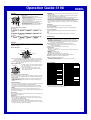
Operation Guide 3198
Illumination
Alarm Operation
An LED (light-emitting diode) illuminate the display for easy reading in the dark.
The alarm tone sounds at the preset time for 10 seconds, regardless of the mode the
watch is in.
• Alarm and Hourly Time Signal operations are performed in accordance with the
Timekeeping Mode time.
• To stop the alarm tone after it starts to sound, press any button.
Illumination Precautions
• The illumination provided by the light may be hard to see when viewed under direct
sunlight.
• Illumination automatically turns off whenever an alarm sounds.
• Frequent use of illumination runs down the battery.
To turn on illumination
In any mode (except when a setting screen is on the display), press B to turn on
illumination.
• You can use the procedure above to select either 1.5 seconds or 3 seconds as the
illumination duration. When you press B, the illumination will remain on for about
1.5 seconds or 3 seconds, depending on the current illumination duration setting.
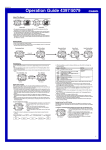
World Time
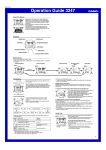
World Time shows the current time in 48 cities (31 time
zones) around the world.
• All of the operations in this section are performed in the
World Time Mode, which you enter by pressing C.
City code
Current time and date in
the zone of the selected
city code
To view the time for another city code
In the World Time Mode, press D to scroll eastwardly
through city codes.
• For full information about city codes, see the “City Code
Table”.
• If the current time for a city is wrong, check your
Timekeeping Mode time and time zone settings and
make the necessary changes.
To toggle a city code time between Standard Time and Daylight Saving Time
1. In the World Time Mode, use D (east) to display the
DST indicator
city code (time zone) whose Standard Time/Daylight
Saving Time setting you want to change.
2. Hold down A for about one second to toggle Daylight
Saving Time (DST displayed) and Standard Time (DST
not displayed).
• The DST indicator is on the display whenever you
display a city code for which Daylight Saving Time is
turned on.
• Note that the DST/Standard Time setting affects only the
currently displayed city code. Other city codes are not
affected.
• Note that you cannot switch between Standard Time
and Daylight Saving Time while UTC is selected as the
city code.
To change your Home Time city to the current World Time city
1. In the World Time Mode, use D to display the city you want to make your new
Home Time city.
2. Press A and B at the same time.
• This makes the World Time city you selected in step 1 your new Home Time city.
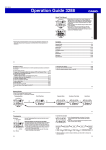
Alarms
Alarm on indicator
Alarm number
Alarm time
(Hour : Minutes)
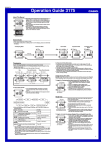
Your watch has a total of five alarms, each of which you
can configure as a daily alarm or one-time alarm.
• Daily Alarm: Sounds at the preset time each day.
• One-time Alarm: Sounds once at the preset time and
then is disabled automatically.
You can also turn on an Hourly Time Signal that causes
the watch to beep twice every hour on the hour.
• All of the operations in this section are performed in the
Alarm Mode, which you enter by pressing C.
• Alarms operate in coordination with the current Home
City Time.
To set an alarm time
1. In the Alarm Mode, use D to scroll through the alarm
screens until the alarm number you want to set is
displayed.
2. After you select an alarm, hold down A until the hour setting of the alarm time
starts to flash, which indicates the setting screen.
• This operation turns on the One-time Alarm automatically.
3. Press C to move the flashing in the sequence shown below to select other settings.
Hour
To test the alarm
In the Alarm Mode, hold down D to sound the alarm.
To turn an alarm on and off
1. In the Alarm Mode, use D to select an alarm.
2. Press A to cycle through the alarm settings as shown below.
Alarm Off
One-Time Alarm
On
Daily Alarm On
• In all modes, the alarm on indicator is shown for the alarm that is currently turned
on.
• The alarm on indicator flashes while the alarm is sounding.
To turn the Hourly Time Signal on and off
1. In the Alarm Mode, use D to select the Hourly Time
Hourly time signal
Signal.
on indicator
2. Press A to toggle it on and off.
• The Hourly Time Signal on indicator is shown on the
display in all modes while this function is turned on.
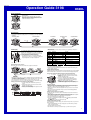
Countdown Timer
Seconds
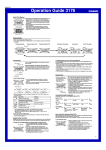
The countdown timer can be set within a range of one
second to 24 hours. An alarm sounds when the
countdown reaches zero.
• All of the operations in this section are performed in the
Countdown Timer Mode, which you enter by pressing
C.
Hours Minutes
1/10 second
To configure the countdown timer
1. While the countdown start time is on the display in the
Countdown Timer Mode, hold down A until the current
countdown start time starts to flash, which indicates the
setting screen.
2. Press C to move the flashing in the sequence shown
below to select other settings.
Hours
Minutes
Seconds
3. When the setting you want to change is flashing, use D (+) and B (–) to change
the flashing item.
• To specify a countdown start time of 24 hours, set
.
4. Press A to exit the setting screen.
To use the countdown timer
Press D while in the Countdown Timer Mode to start the
countdown timer.
• When the end of the countdown is reached, the alarm
sounds for ten seconds or until you stop it by pressing
any button. The countdown time is reset to its starting
value automatically when the alarm sounds.
• Press D while a countdown operation is in progress to
pause it. Press D again to resume the countdown.
• To stop a countdown operation completely, first pause it
(by pressing D), and then press A. This returns the
countdown time to its starting value.
Minutes
One-time Alarm/Daily Alarm Selection
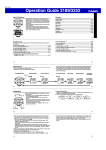
4. While a setting is flashing, use D and B to change it as described below.
Screen
/
To do this:
Do this:
Change the hour
and minutes.
Use D (+) and B (–).
• With the 12-hour format, set the time correctly as
a.m. or p.m. (PM indicator).
Toggle between
One-time Alarm
and Daily Alarm.
Press D.
One-time Alarm on:
Daily Alarm on:
5. Press A to exit the setting screen.
2