1
Inkjet Microarrayer Manual version 1.4
Table of Contents
............................................................................................................................................1
Inkjet Microarrayer Manual version 1.4..........................................................................2
Introduction..........................................................................................................................4
System Overview.................................................................................................................5
Overview of the arrayer...................................................................................................5
Servo control...................................................................................................................6
Microarrayer electronics..................................................................................................6
Phosphoramidite delivery................................................................................................7
Reagent/solvent storage...................................................................................................7
Nitrogen supply and system enclosure............................................................................7
Slide holder.....................................................................................................................8
Vision system..................................................................................................................8
Getting Started.....................................................................................................................8
Assembling the Arrayer.......................................................................................................9
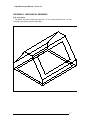
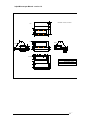
[1] Assemble the table....................................................................................................9
[2] Place servo positioners.............................................................................................9
[3] Place servo controller and digital servo amplifiers................................................11
[4] Connect PC and configure servo system................................................................11
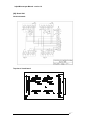
[5] Assemble printed circuit board 1503......................................................................11
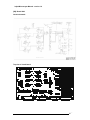
[6] Assemble printed circuit board 1804......................................................................12
[7] Assemble electronics box 1....................................................................................13
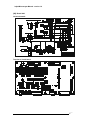
[8] Assemble printed circuit board 1902......................................................................14
[9] Assemble electronics box 2....................................................................................15
[10] Place reagent solenoids.........................................................................................15
[11] Place gas solenoids...............................................................................................16
[12] Place slide holder..................................................................................................16
[13] Install print head brackets.....................................................................................16
[14] Install print head and phosphoramidite vials........................................................16
[15] Assemble pressurized gas and liquid plumbing...................................................17
[15a] Install pressure regulator and rotameter..............................................................17
[15b] Install the air amplifier.......................................................................................17
[15c] Connect reagent bottles.......................................................................................18
[15d] Install the slide dryer...........................................................................................18
[16] Connect the vacuum components.........................................................................18
[17] Install hygrometer.................................................................................................19
[18] Install droplet detection laser and photodiode......................................................19
[19] Assemble optical system......................................................................................20
[20] Install cover...........................................................................................................21
[21] Connect fume exhause hose.................................................................................22
POGO Software.................................................................................................................22
Pogo Menus...................................................................................................................22
Using Pogo the first time...............................................................................................26
Using Pogo....................................................................................................................28
Sample Playbooks.........................................................................................................29
22