1
Intelligent Surveillance Solution
Table of Contents
TABLE OF CONTENTS
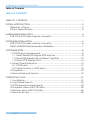
TABLE OF CONTENTS .............................................................................................. 1
SYSTEM INTRODUCTION ......................................................................................... 2
Definition of Terms .......................................................................................... 2
Product Specification .................................................................................... 3
HARDWARE INSTALLATION .................................................................................... 4
SCB-C31A POS data capture convertor ..................................................... 4
SOFTWARE INSTALLATION ...................................................................................... 6
SCB-C31A POS data capture convertor ..................................................... 6
NUUO NVR/DVR/Hybrid system installation ................................................ 7
SOFTWARE SETUP .................................................................................................... 8
1. POS Device Management ........................................................................ 8
1.1. Insert/Delete/Configure POS devices .............................................. 8
1.2. New/Edit/Delete/Import/Export Tag Filter .....................................10
1.3. Setup POS Display Font .....................................................................14
2. Smart Guard Detection ...........................................................................15
2.1. POS Event ............................................................................................15
2.2. Instant Action on POS Event ............................................................18
3. Playback ....................................................................................................18
4. Remote Network Service .........................................................................19
OPERATION TOOLS ...............................................................................................21
1. Live Display ................................................................................................21
2. Log Viewer Search ...................................................................................22
3. POS transaction data Search .................................................................24
4. Playback video with POS data ..............................................................25
5. Backup video with POS data .................................................................26
6. Remote Access .........................................................................................28
page-1