1
Contents
1
Introduction
1
2
2.1
Getting Started
Achieving the Best Performance
2
2
3
3.1
3.2
3.3
3.4
3.5
4
Overview
Defining the EDID
About HDMI–General Description
About HDCP–General Description
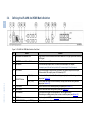
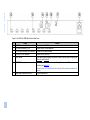
Defining the VS-44HN 4x4 HDMI Matrix Switcher
Using the IR Transmitter
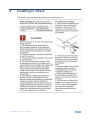
Installing in a Rack
3
4
4
5
6
8
9
5
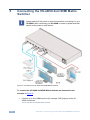
Connecting the VS-44HN 4x4 HDMI Matrix Switcher
10
6
6.1
6.2
6.3
6.4
7
7.1
7.2
7.3
8
Operating the VS-44HN 4x4 HDMI Matrix Switcher
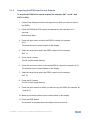
Acquiring the EDID
Storing and Recalling a Switching Setting from a Preset
Switching Between Protocol 2000 and Protocol 3000
Resetting the VS-44HN 4x4 HDMI Matrix Switcher’s IP Parameters
Connecting to the VS-44HN
Connecting to the VS-44HN 4x4 HDMI Matrix Switcher via RS-232
Connecting to the VS-44HN 4x4 HDMI Matrix Switcher via Ethernet
Upgrading the Firmware
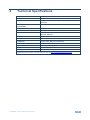
Technical Specifications
12
12
14
15
15
16
16
16
18
19
9
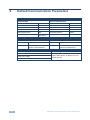
Default Communication Parameters
20
10
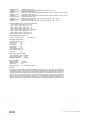
Default EDID
21
11
Kramer Protocol 2000
23
12
12.1
12.2
Protocol 3000
Kramer Protocol 3000 Syntax
Kramer Protocol 3000 Commands
26
26
29
Figures
Figure 1: VS-44HN 4x4 HDMI Matrix Switcher Front Panel
Figure 2: VS-44HN 4x4 HDMI Matrix Switcher Rear Panel
Figure 3: Connecting the VS-44HN 4x4 HDMI Matrix Switcher
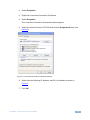
Figure 4: Local Area Connection Properties Window
Figure 5: Internet Protocol (TCP/IP) Properties Window
6
7
10
17
18
VS-44HN - Contents
i