1
Staff Management
Chapter 3
HOW TO ENTER NEW STAFF MEMBERS
Staff member‟s records are linked to client records. To add a new staff member the client must be
created first. The client information is then transferred across to the new staff record. To add a new
staff record, follow the steps below.
1. Create the client record for the new staff member.
2. Click on the ‘Staff’ button
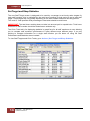
3. The staff search form will now be displayed. Click on the ‘New’ button.
4. Click on ‘OK’ to insert a new staff record.
5. A client search form will now be displayed. Search for the client you wish to enter as a staff
member.
6. A new staff record will now be created. The staff record will be automatically populated with
details from the selected client.
7. Enter the staff ID. This must be unique to this staff member, and at least two characters long
but no longer than five. We usually suggest the staff members initials are used for the staff
id, but you can use any system you prefer.
8. Save the Staff record by clicking on the tick in the bottom right hand corner.
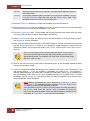
9. If you have not set the password a prompt will appear telling you that their password is
„password‟. Click ‘OK’.
HAIRLINKSQL User Manual v4.5
Updated 01/05/2012
3