1
GardTec 480 User PR5831_11 5IN480UM_B A6 booklet.qxd
19/07/2007
Introduction
Welcome to the GT480 control panel. Your installation company will
have programmed your system to protect your premises to the highest
possible standards. Several user programmable options are available
that will be covered later in this manual. Throughout this manual
reference will be made to the Master User Code. The factory set
default is 5678. This code is programmable along with eight other User
Codes.
If an Engineer is on site, it may be necessary to authorise them to
access your system. Do this by entering your User Code when
asked to do so by the engineer.
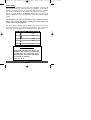
One of two types of Keypad may be fitted to your system, the first type
has Text on the keys for example Yes and No Keys. The second type
uses Icons and is designed to be multi-lingual (see table below).
Icon style keypad
Text style keypad
Full
Part
Quick
Yes
No
! ! ! IMPORTANT ! ! !
The Keypad may have ‘Icon’ style keys
instead of ‘Text’ style keys. Please use
the table above for a conversion of the
different styles. This will be reflected in
this manual, for example.
Press Yes (
)
Pa g e 1
17:18
Page 1