1
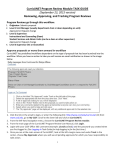
11. In the center of the screen, from the Assessment Type menu, choose the assessment type you will be submitting: Administrative Unit Outcomes -- for administrative units (like Purchasing and Buildings and Grounds) Service Outcomes -- for student and academic service units (like Admissions & Records, Financial Aid, Library, and Language Lab) Counseling Program SLOs -- for student counseling units (like DSPS and Continuing Student Counseling) Course-level Outcomes CRN-level SLOs -- submitted by each instructor for each course section each semester Course (SLO Aggregate) assessment -- submitted at least once every 3 years by course coordinator reviewing ALL course SLOs over multiple semesters Instructional Program SLOs -- for majors and certificates submitted at least once every 3 years by program coordinator for each PSLO Institutional-Level Outcomes (ILOs) -- submitted by SLO Coordinators on regular cycle General-Education-Level Outcomes (GELOs) -- submitted only by SLO Coordinators on regular cycle. 12. After choosing your assessment type, click the Create button. 13. Enter the requested information and then click Save. 14. To return to the outcome assessments level and see a list of your draft and active assessment reports or start a new one, from the upper left of the screen, under the CurricUNET logo, click Outcomes Assessments (see screenshot for step 5 above when you clicked Home from the same navigation menu, which now looks like: Home > Outcomes Assessments > Edit Outcome Assessment). 15. Log out in the top right of the screen to exit. The CurricUNET Assessment User Manual Support Page has detailed instructions, training times, drop-in labs, task guides, and video tutorials for completing each type of report. Visit the page for more information. Creating a CRN-level assessment report Creating a course-level (SLO Aggregate) assessment report Creating an instructional program SLO assessment report Creating an ILO or GELO report Creating an AUO, Service (Academic or Student) or Counseling Program SLO assessment report Viewing public final reports