1
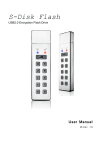
Product View
Lock LED
SETUP LED
Unlock LED
Product
USB3.0 Secure Encrypted Drive
Material
Aluminum
Mode
mini
Features
USB3.0 SuperSpeed port
R/W LED
Secure PIN Access with keypad
Real-time 256-bit AES Hardware Encryption
Software Free Design
Wear Resistant Keypad
KEY Button
Drive Reset Feature
Encryption: AES Cipher-Block Chained mode
Comments
Encryption Keys: 256-bit Hardware
Hashing: 256-bit SHA
OS
Windows 2000 / XP / Vista / Win7/Win8
Requirement
Mac OS 10.2 or higher
Linux 2.4.2 or higher(such as Ubuntu、 Android…)
LED Indication
Environment
LED
Color
Indication
Lock
Red
Red ON, HDD is locked
Unlock
Green
Green ON, HDD is unlocked
Blink
Blink 1 time when press one Key
Setup
Orange
Create / Modify the user password
R/W
Blue
Power ON
Blink
Data is being transferred
Operating Temperature: 5°C ~ 40°C
Operating Humidity: 20%RH ~ 80%RH
Storage Temperature: -20°C ~ 70°C
Storage Humidity: 10%RH ~ 90%RH
Interface
USB3.0
Size
90mm x 55mm x 12mm
Initialize and Format Device
When first use, please initialize and format the Device.
Note:
By initialize the Device, all data previously stored on the drive will be lost! Please backup all your data first before do it!
1. Initialize the Device:
Step
Indication
1. First press and hold the Key 1 + Key 3
R/W LED will Blink blue , then will be on Blue
2. Second Connected the Device to the computer
3. And hold continually the Key 1 + Key 3 for 5 seconds until “Lock LED” turn Red ON.
3. Release the Key 1 + Key 3 to complete initializing the Device
Lock LED will be on Red
R/W LED will be on Blue
2. Reset the Device
If you forget your password, or If you would like to delete all data stored on the Device and setup one new password, follow the instruction below.
The reset process will clear your password and destroy all data. Please backup all your data first before do it!
Reset the Device is the same as initialize the Device, please refer to “Initialize the Device”chapter.
3. Create the Password:
When first use, you will create a password for lock/unlock, please remember your password. If you forget your password, there is absolutely no way of gaining access to the data stored on the Key.
You must be completely reset the Device . By resetting, all data stored on the Key will be inaccessible.
Step
Indication
1. After initialize the Device, press and hold Key ESC for 5 seconds
Lock LED will be on Red
Setup LED be on Orange
R/W LED will be on Blue
2. Enter a new password
Unlock LED will Blink 1 time when press one Key
(Password must be a minimum length of 3 maximum 16 digits.)
3. Press the Key OK to confirm the password, if the password is valid, the Setup LED will be OFF.
Lock LED will be on Red
R/W LED will be on Blue
4. Re-Enter the new password
Unlock LED will Blink 1 time when press one Key
5. Press the Key OK to confirm the password, if the password is correct, the password was successfully created.
Lock LED will be on Red
Then the Device is unlocked.
R/W LED will be on Blue