1
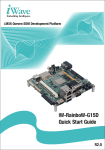
RainboW-G8D Quick Start Guide 3. SETTING UP THE TEST ENVIRONMENT 3.1 Getting Start This section describes the step by step procedure to setup the test environment for RainboWG8 Development System. Read the Development Platform Documents Check Boot Mode Switch setting Check Boot Media Switch setting Setting up the Debug UART port Power ON the Development platform 3.1.1 Read the Documents Before setting up the test environment, one must read all the documents of the RainboW-G8 Development platform to know about the Platform, its features and to get familiar with it. These documents are available in the DVD which comes along with the RainboW-G8 Package. Below mentioned documents are available in the DVD, RainboW-G8 Quick start Guide (This Guide) i.MX51 Qseven SOM Hardware User Guide Generic Qseven Carrier Board Hardware User Guide Software User Manual Release Notes for Software Please see APPENDIX section to know about the DVD content structure and platform related document’s path in DVD iWave Systems Technologies Pvt. Ltd. Rev 0.1 Page 11 of 19