1
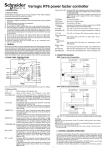
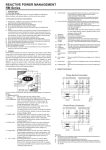
POWER FACTOR CONTROLLER RG-T 5. CONTROLS AND MENU OPERATIONS 5.4 Step Time Adjustment All settings are made by Menu.The set values, except of operating mode are kept in memory even if the device is switched off.When it is switched on, it starts compensation with the values stored in the memory in Automatic Operating Mode. After entering Menu by pressing SET button 3 seconds and if you dont make any adjustments during 20 seconds ,RG-T operates with the previously stored values. To quit Menu without any storing operation,UP-DOWN buttons are pressed until the ESC symbol is displayed and then SET button is pressed. The details of controls and adjustments are explained in the following sections. By pressing SET button 3 seconds SET Menu is started. SET Display DOWN UP DOWN UP Display UP VA OVER V. A value between 2-1800 sec. is adjusted by using UP-DOWN buttons. 5.5 Step Number Selection AUTO/MAN light is selected by using UP-DOWN buttons. symbol is displayed. DOWN W VAr When targeted value is displayed it is stored by pressing SET button and RG-T returns to its normal operating mode. SET By pressing SET button 3 seconds SET Menu is started. SET M While TIME light is ON, t 0n symbol is displayed by means of UP-DOWN buttons and time delay adjustment for connection of capacitor steps to system is selected by pressing SET button. While TIME light is ON, t 0F symbol is displayed by means of UP-DOWN buttons and time delay adjustment for disconnection of capacitor steps to system is selected by pressing SET button. SET 5.1 Selection of Operating Mode(Automatic / Manual Mode ) Two Operating Modes are valid for switching on/off the capacitor steps. 1) Automatic Operating Mode: The capacitor steps are controlled by RG-T, automatically. 2) Manual Operating Mode: the capacitor steps are switched on/off, manually. Mode selection is done as followed. TIME light is selected by means of UP-DOWN buttons. By pressing SET button 3 seconds SET Menu is started. SET Display M W VAr VA AUTO/MAN setting is selected by pressing SET button.If the device is in Manuel Mode symbol is displayed.If the device is in Automatic symbol is displayed. Mode SET DOWN UP STEP light is selected by means of UP-DOWN buttons. StEP symbol is displayed. DOWN OVER V. UP STEP number adjustment is selected by pressing SET button.Previously selected value is shown on the display SET Automatic Mode ( ) or Manual Mode ( ) is selected by using UP-DOWN buttons. DOWN SET When targeted operating mode is displayed it is selected by pressing SET button. If Manual Mode is selected AUTO/MAN light starts blinking and blinks during this mode.If Automatic Mode is selected AUTO/MAN light is continuouslly ON during this mode. UP By pressing SET button 3 seconds SET Menu is started. SET Display DOWN UP DOWN UP C/k adjustment is started by pressing UP-DOWN buttons together. UP SET UP SET A value between 0.85-1.00 is adjusted by using UP-DOWN buttons. When targeted value is displayed, it is strored by pressing SET button and RG-T returns to its normal operating mode. OVER V. seconds SET Menu is started. Display DOWN UP M W VAr DOWN OVER V. UP SET C/ k light is selected by means of UP-DOWN buttons. symbol is displayed. Manual C/ k adjustment is selected by pressing SET button.Previously manually selected or automatically calculated C/ k value is shown on the display SET VA DOWN VA A value between PS1-PS5 is selected by using UP-DOWN buttons. By pressing SET button 3 SET Cosj light is selected by using UP and DOWN buttons. COS symbol is displayed Cosj adjustment is selected by pressing SET button.Previously adjusted value is shown at the display W VAr 5.7 Selection of C/k Value by the User By pressing SET button 3 seconds SET Menu is started. Display DOWN M When targeted program is displayed, it is stored by pressing SET button and RG-T returns to its normal operating mode. SET 5.3 Cosj Adjustment PROGRAM light is selected by means symbol is of UP-DOWN buttons. displayed. Switching Program is selected by pressing SETbutton.Previously selected value is shown on the display 5.2 Automatic C/k Adjustment SET OVER V. A preferred step number is selected by means of UP-DOWN buttons. SET UP VA 5.6 Switching Program Selection When RG-T is in Manual Mode, capacitor steps are connected by pressing UP button. Each time UP button is pressed C+ light is ON ,and one step is connected accordingly; NORMAL light will be ON after the connection of the step.This operation must be repeated to connect more steps. Capacitor steps are disconnected by pressing DOWN button. Each time UP button is pressed C- light is ON ,and one step is disconnected after a delay time; NORMAL light will be ON after the disconnection of the step.This operation must be repeated to disconnect more steps. DOWN W VAr When targeted value is displayed, it is stored by pressing SET button and RG-T returns to its normal operating mode. SET 5.1.1 Switching of the Capacitor Steps Manually M A value between 0.02-1 is selected by using UP-DOWN buttons. When targeted value is displayed, it is stored by pressing SET button and RG-T returns to its normal operating mode. M W VAr VA OVER V.