1
SmartFindExpress 2.3
Administrator User Guide
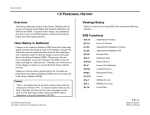
Managing Profile Information
The Profile feature lets you view profile information,
update your email address and change your
passwords.
View Profile Information
Your current status in the system and your address
in the system are shown. Contact your system
administrator with any changes.
Update Your Email Address
Update
Email
Address
Type in your new email address and click Save.
The system automatically sends Job Creation and Job
Cancellation emails (if your district uses this feature).
For more information, contact your System
Operator.
Change Password
Change Phone
Password (PIN)
Enter your current password and the new password.
You can enter up to 9 digits. Click Save.
Note: If your district is configured to use Web
Passwords,, the Change Password feature will include
an option to change the Web password.
Help
Sign Out
Getting Help While You Work
Exiting the System
Click the Help tab to access Help guides and How
How-to
videos.
Click the Sign Out tab to exit the system.
June 2013
eSchool Solutions Proprietary Documentation – Company confidential/Do Not Distribute
3