1
1.
1.1
General Information
Overview
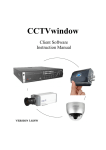
The CCTVwindow client is applicable to all Alien DVRs including the Alien Hybrids, IP
Traditional Cameras, IP Dome Cameras and the Video Bridge.
1.2
Computer System Requirements
Operating System:
CPU:
RAM:
Display:
1.3
Microsoft Windows 2000 or versions through to Windows 7
Intel Pentium IV 3.0 GHz or models above
1Gb or above
1024×768 or above
Conventions
The following conventions are used in this manual:
DVR, IP Camera, IP Dome and Video Bridge are all referred to as a ‘device’
Click refers to clicking the left hand mouse button
Double click refers to double clicking the left hand mouse button
2.
Software Installation
2.1
Installing the Software
Double click the software and you will see the wizard shown.
Click “Next” to continue and input the user information and software installed location.
After that, an SADP installation wizard will pop up. Now click “Next” to start to install WinPcap. If it
is already installed, the installation can be cancelled.
Note: SADP (Scoped Address Discovery Protocol) is used as the on-line device finder. This function
is unavailable if the WinPcap is not installed. SADP discovers the IP address of a device without
knowing the address or subnet mask.
2.2
Uninstall Software
This software must be removed via Control Panel, Add/Remove Programs. Locate and
highlight ‘CCTVWindow’ and click ‘Remove’.
Confirm the removal and allow the Installer to remove the application.
WinPCAP, if installed during the installation process must be removed manually – there
is a separate item for this in Add/Remove programs as well.
4