1
t
il
T
Ro D,UCf rcn, ;'f
,1r",r, 1.'. :r.'f i,.;:,.i-
r"
cOtiiTENT$.'OF .RETATI.BOX
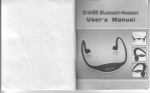
Thank you for having chosen the V1 or V2 Bluetooth
headset for bikers. This Manual will help you operate
the headset ,but you should first familiarize yourself
*.ith the Bluetooth functionality of your cellular phone
and/or GPS device before using the headset.
Headset
Volume Up
Charging
Jack
The retail box of the V1 or V2 contains one headset unit.
When paired with another Vf or V2,the headsets can be
used as an intercom at a rang of up to 1 00m(Vl ) or
Volume
--Power On,Power Off,
--Intercom call
500m(V2).
Vl or V2 offers the following uses:
The
1. Bluetooth headset for mobile phone communication,
supporting headset*and Handsfree + profiles(10m range)
2.
Down
CTRL-Control B
MC Multi- Connection
-
--Radio On/Off
--Answer/Call End/
Last Number Redialing
Helmet clamp
Bike-to-Bike lntercom Communication with
another V1 or V2 unit(up to I 00m or 500m range)in Full
Duplext +mode purchased separately]
I
3.
Turn-by-Turn GPS Navigation instructions
Left Spe.ker
and
Streaming Audio from compatible Bluetooth devices
4. FM Radio - built in FM radio receiver
5. Bluetooth stereo - enjoy stereo music from yourA2DP
enabled device (like cell phone ).
6. MP3 jack- As the speakers ofyour MP3/GPS,just connect to
your MP3 or GPS with audio cable.
The V1 or V2 can establish an audio connection with one Bluetooth
device at a time. Please read the section "Using the Headset" to see
how you can switch the audio connection betrveen the paired devices.
*Mobile phones that do not support the Bluetooth handsfree profile
may prevent you from using the Redial and Call Reject features.
++full duplex calls allow you to speak and hear the other party speak
simultaneously
\ote:The V0 device do not support intercom communication.
NOTE:
j
The use of two speakers may be illegal in certain
urisdictions.
Please check the local regulations and act accordingly.
I
i,
-2-