1
XSense – Version 10.04 – Operating Manual
EVS Broadcast Equipment – January 2011
Issue
10.04.A
H OW TO L OOP B ACK A P LAYLIST INTO THE S ERVER
To consolidate a playlist using the internal loop mode, proceed as follows:
1.
Add the requested effects to the playlist.
2.
Recue the playlist.
3.
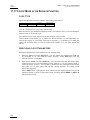
Activate the LOOP mode via the SHIFT+LOOP key.
4.
Roll the playlist.
The playlist will be recorded onto the disks (Channel 1 – CAM A) as a continuous
video/audio stream.
When you exit the playlist mode, go back to LIVE record and simply jog back, you
will see the playlist recorded with all its transitions and at the speed they were
played.
11.12.5 GENERATING A CONTINUOUS TIMECODE IN A PLAYLIST
O VERVIEW
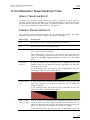
You can regenerate a continuous timecode for the whole playlist or for each clip of
a playlist. This can be useful when:
•
you do not want to have a playlist with disrupted timecodes from the various
playlist elements
•
you want to change the timecode type in the VITC or LTC timecode
P ROCESS
To regenerate the timecode in a given playlist, you will perform the following
actions:
1.
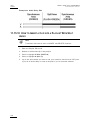
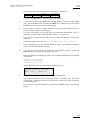
Activate the TC Regeneration and define the related settings on the Playlist
page (F10), in the blue-highlighted area at the bottom of the page. This
feature is defined for each playlist individually:
2.
Activate the internal loop using the SHIFT+LOOP keys
3.
Roll the playlist.
This will record the playlist back into the recorder channel 1 (CAM A) with
the regenerated timecode.
109