1
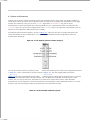
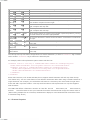
16.2 Multimedia Controls
Dreamweaver offers behaviors for controlling sounds and multimedia assets (Shockwave and Flash).
16.2.1 Playing Sound
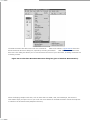
You can use the Play Sound behavior to add sound to your web site. To play a simple beep, you could attach
the behavior to a button and trigger it using the onMouseDown event. To play background music, you could
attach the behavior to the <body> tag and trigger it using the onLoad event.
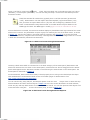
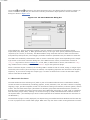
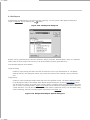
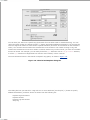
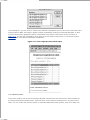
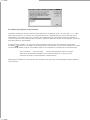
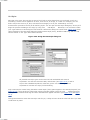
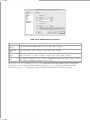
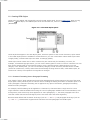
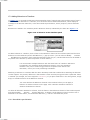
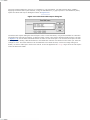
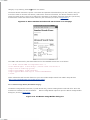
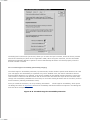
Applying the Play Sound behavior opens the Play Sound dialog box (not shown), with which you can specify
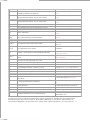
the sound file to play. Web delivery typically requires compressed formats such as.mid (MIDI), .mp3 (MPEG3), .mod (Amiga MOD format used by WinAmp), or .ra (RealAudio). Other formats include .wav (WAVE), .au
(Sun's sound format), and .aif (AIFF).
Another common format is .swa (Shockwave audio), which is similar to .mp3 and typically played back using
either the Flash or Shockwave plugin instead of the Play Sound behavior. In fact, all audio playback requires
a browser plugin and can be notoriously inconsistent across platforms and browsers. Generally, Flash is your
best bet for simple audio playback, although Shockwave offers more advanced control at the expense of a
larger, less-popular plugin. If you use the Play Sound behavior, set the server MIME type for the sound file's
type, and test your web page thoroughly in all target browsers on all platforms.
The Play Sound behavior adds code in several places. Like all behaviors, it adds a function call to the object
used to trigger the event. For example, the onClick event, which triggers the MM_controlSound function,
might be added to a button as follows:
onClick="MM_controlSound('play','document.CS991467446390',
'images/paws.wav')"
Dreamweaver also adds the MM_controlSound function to the document's head content.
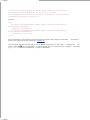
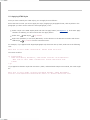
The selected sound file is embedded in your HTML page as follows:
<embed name='CS991467446390'
src='/images/paws.wav', loop=false, autostart=false
mastersound, hidden=true width=0 true=0>
</embed>
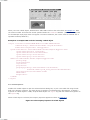
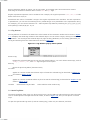
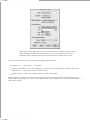
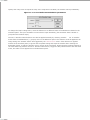
Use the Property inspector's Play button to preview the sound. Use the Property inspector's Parameters
button (or hand-edit the HTML) to set loop to true (which causes the sound to loop indefinitely). There is
no need to change the autostart property because the chosen event triggers the sound. If you don't want
to wait for a sound to stop of its own accord, create your own JavaScript function to pause or stop a sound
(use the MM_controlSound function inserted by the Play Sound behavior as a starting point).
Dreamweaver automatically assigns a cryptic name (CS991467446390 in this case) for the name attribute of
the <embed> tag. This name is used in the function call to find the embedded sound object. If you change
the name, update it in both places.