1
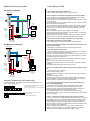
Additional Wiring Information
Fault finding & FAQs
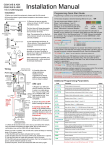
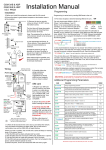
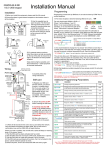
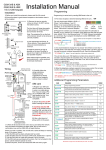
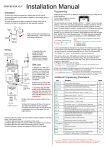
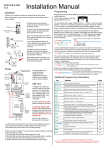
A/C Strike Lock Wiring
Q. The unit will not power up. No LEDs on.
A. Check power supply voltage is within 11.5V-12.5V DC.
GSM module
DETECT
GND
PB
GND
N/O
COM
N/C
VCC
AC
AC
A/C
PSU for
lock
Strike
lock
Optional
Keypad
module
Fail
Secure
12v
IN
Break
Glass
Exit Button
+
+
-
N/O
N/O
Optional
emergency
break glass
unit
Relay
12v dc coil
From 12v d.c.
power supply
GSM module
DETECT
GND
PB
GND
N/O
COM
N/C
VCC
AC
AC
Fail
Secure
12v
IN
D/C
PSU for
lock
Recommend
diode fitted
here
Magnetic
Lock
Break
Glass
Exit Button
+
+
-
N/C
N/C
Optional
emergency
break glass
unit
Relay
12v dc coil
From 12v d.c.
power supply
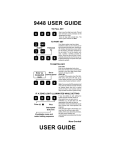
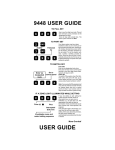
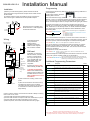
Keypad Programming (AK model only)
For most installations, it is sufficient to add a single keypad code for all
users. On the keypad, enter...
1
2
1
2
1
*
?
?
The unit is now in programming mode. 1212 is the
default programmers code.
?
?
???? is your new user code. 1 is the code address.
#
Changing Programmers Code...
9
1
*
*
*
?
?
?
?
Q. The unit calls the first number, but there is not enough time to
answer before it diverts to the next number.
A. Increase the no answer time as per programming instructions.
Q. The unit calls the first number but voicemail comes on before it can
ring the second number.
A. Decrease the no answer time as per programming instructions.
D/C Magnetic Lock Wiring
Optional
Keypad
module
Q. The unit powers up but there is a bleeping from the door station.
A. This means the unit is not able to detect the network for some reason.
-Check the SIM card is activated and has calling credit.
-Power off the unit, remove the SIM and check it in a mobile phone to verify
it can make a call.
-Check the SIM does not ask for a PIN code when put in a phone. If it does,
then disable the PIN code request.
-Check the SIM is a standard GSM SIM, not 3G or 4G only SIM. If you are
unsure, contact your SIM card provider to verify. Frequency of operation
should be any one of the international quad band standards, 850 / 900 /
1800 / 1900 MHz.
-Check the reception is good. Poor reception is not sufficient.
-Check the antenna has been mounted as high as possible, not near large
metal objects, or wet green shrubs etc.
-Check the antenna connection. Visually inspect that the centre pin inside
the antenna is intact, and has not been pushed back inside the fitting.
#
While in programming mode, enter the
sequence shown.
** is to exit programming mode.
Q. The caller ID part does not work.
A. Be sure to program the caller ID part under 72 feature. If your number is
a private or number withheld, then it will not work.
Even if you have already programmed a number to receive a call from the
intercom, if you also want that number to have caller ID access, it must be
programmed under the 72 feature also.
Ensure the number is entered as you would normally dial it from another
phone.
Do not put the country code in front of the number.
Enter the country code in which the unit is operating in separate under the
71 feature.
International callers ringing the intercom may not work.
Q. There is no audio from the gate, but the person at the gate can hear
ok.
A. This can be due to low reception.
-Check reception level by *20#.
-Change SIM card if necessary to another network which may have better
coverage.
-Purchase a high gain antenna.
This may also be caused by either a defective microphone, or incorrect
microphone wiring, or a short circuit by whiskers between the centre core
and the shielding, or excessive microphone cable length.
Q. The audio quality that can be heard on the remote telephone is
poor or humming (buzzing).
A. A small amount of GSM buzz can be considered normal on GSM
intercoms, but not so much that causes inability to hear the person
speaking. This can be caused by the GSM antenna being mounted too
close to the speech panel or not mounted high enough.
-Try earthling the speech panel chassis to 0V of the power supply.
-This is also a symptom of poor reception. Try above steps on checking and
improving reception.
Q. The * or # key does not work when the intercom calls a phone.
A. Check if you can hear the relay clicking at the gate when the * or # key is
pressed during a call. If it can be heard, then the system is working, check
wiring between the relay and the lock or gate panel. If the relays do not
make a clicking sound, then check this feature on a different mobile cell
phone or landline. If it works on a different phone, check the settings on the
phone in question under DTMF tones.
Failure of DTMF tones to operate correctly is also a symptom of low
reception. Check steps above on improving reception. Try pressing the
buttons longer when attempting to activate the gates or door.