1
USER’S MANUAL. TE-2000 HD
5.16.1
Markers
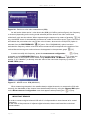
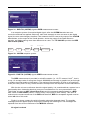
(Only in Spectrum Analyser mode). The marker in red colour indicates the central frequency
or tuning frequency, which can be moved by means of turning the rotary selector
channel as in frequency tuning mode
[1] as well in
[24].
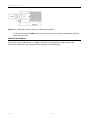
When monitoring a digital signal spectrum also appears two additional markers in white
colour, which indicate the bandwidth of the digital channel (See previous Figure).
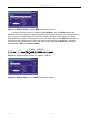
If the highlighted measurement which appears on the measurement screen corresponds to
C/N, the Spectrum Analyser mode will measure the C/N ratio at the frequency indicated by the
marker and a second marker will indicate the frequency for the noise measurement.
5.17
ECHOES Analyzer (COFDM)
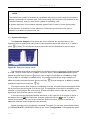
The ECHOES function can detect and display echoes that may appear when receiving
simultaneously the same signal from several transmitters. Another reason that can cause echoes
is the reflection of the signal on large objects such as buildings or mountains.
With the ECHOES function is possible to know the distance from where we are to the
transmitter or the object that has caused the echo. Thus, the installer can minimise the effects of
echoes on the facility. Knowing echoes, the installer is able to reposition the antenna and
therefore, reduce the effect of echoes received.
This feature is only available for DVB-T / H signals. Therefore, you should configure the TE2000 HD in order to receive this type of signals. If not, the ECHOES function will not appear on
the menu “Utilities”.
The steps to go through to set up the digital terrestrial reception are the next:
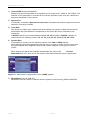
1. Press the key
frequency band.
[14] (Satellite / Terrestrial Band) to select the TV terrestrial
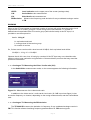
2. Press the key
for Digital TV.
[17] (Measurement Configuration) to select the measurement mode
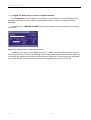
3. Check the led indicator “D” and the led indicator “T” are lighted.
Page 66
02/2010