1
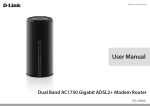
Dual Band AC1750 Gigabit ADSL2+ Modem Router User Manual
Table of Contents
Table of Contents ................................................................................................... 2
Product Overview ................................................................................................... 3
Package Contents ................................................................................................ 3
System Requirements .......................................................................................... 3
Features................................................................................................................ 4
Hardware Overview .............................................................................................. 5
Front Panel ....................................................................................................... 5
Rear Panel ........................................................................................................ 6
Bottom Panel .................................................................................................... 7
Basic Installation .................................................................................................... 8
Before You Begin ................................................................................................. 8
Installation Notes .................................................................................................. 8
Information needed from ADSL service provider ............................................ 10
Information needed about this Router ............................................................ 11
Information needed about your LAN or computer .......................................... 11
Device Installation .............................................................................................. 12
Power on Router ............................................................................................. 12
Factory Reset Button ...................................................................................... 12
Network Connections ...................................................................................... 13
Getting Started ................................................................................................... 14
How to connect to the Web User Interface ..................................................... 14
First Time Installation ...................................................................................... 15
Web User Interface Configuration ...................................................................... 21
Setup Category ................................................................................................... 22
Internet ............................................................................................................ 23
Wireless Settings ............................................................................................ 38
Network Settings ............................................................................................. 54
Storage ........................................................................................................... 57
Media Server ................................................................................................... 61
IPv6 ................................................................................................................. 63
mydlink™ Settings .......................................................................................... 89
Advanced Category ............................................................................................ 93
Virtual Server .................................................................................................. 94
Port Forwarding .............................................................................................. 96
Port Triggering ................................................................................................ 98
QoS Engine ................................................................................................... 100
Network Filter ................................................................................................ 103
Access Control .............................................................................................. 105
Table of Contents
Website Filter ................................................................................................ 111
Inbound Filter ................................................................................................ 112
Firewall Settings ............................................................................................ 114
Routing .......................................................................................................... 117
Advanced Wireless ....................................................................................... 118
Wi-Fi Protected Setup ................................................................................... 120
Advanced Network ........................................................................................ 125
Guest Wi-Fi ................................................................................................... 127
IPv6 Firewall ................................................................................................. 136
IPv6 Routing ................................................................................................. 138
Maintenance Category ..................................................................................... 139
Admin ............................................................................................................ 140
Time .............................................................................................................. 142
Email Settings ............................................................................................... 144
System .......................................................................................................... 146
Firmware ....................................................................................................... 147
Dynamic DNS ............................................................................................... 149
Diagnostics ................................................................................................... 151
Schedules ..................................................................................................... 153
Status Category ................................................................................................ 155
Device Info .................................................................................................... 156
Logs .............................................................................................................. 160
Statistics ........................................................................................................ 162
Internet Sessions .......................................................................................... 164
Wireless ........................................................................................................ 165
Routing .......................................................................................................... 166
IPv6 ............................................................................................................... 167
IPv6 Routing ................................................................................................. 168
Help Category ................................................................................................... 169
Knowledge Base ................................................................................................ 170
Networking Basics ............................................................................................ 170
Wireless Basics ................................................................................................ 172
Wireless Modes ............................................................................................ 174
Wireless Security .............................................................................................. 174
What is WPA? ............................................................................................... 174
Frequently Asked Questions ............................................................................ 176
Technical Specifications ................................................................................... 177
Page 2