1
SuperH™ RISC engine Simulator/Debugger V.9.07.01
Supplementary Information for User’s Manual
1.
Memory Mapping
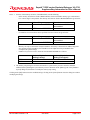
In V.9.07.01, the specification of memory mapping for the SH-2A has been changed. This section describes the new
specification of memory mapping.
1.1
Modifying the Memory Map and Memory Resource Settings
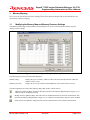
The [Memory] tabbed page in the [Simulator System] dialog box is used to set and modify the memory map and
memory resource settings.
Figure 1.1 Simulator System Dialog Box (Memory Tab)
The following items can be specified in this dialog box.
[Memory Map]
Displays the types of memory, addresses where each starts and ends, data bus width, and
number of access cycles.
[Memory Resource]
Displays the access type and start and end addresses of the current memory resource.
The following buttons are used to alter [Memory Map] (add, modify, or delete entries).
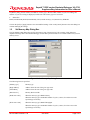
Add items to [Memory Map]. Clicking on this button opens the [Set Memory Map] dialog box (figure 1.2), in
which an item can be added to the map.
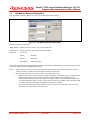
Modify an item in [Memory Map]. Select the item to be modified in the list box and click on this button. This
opens the [Set Memory Map] dialog box (figure 1.2), in which the selected memory map item can be modified.
Delete an item from [Memory Map]. Select the item to be deleted in the list box and click on this button.
REJ10J1892-0100/Rev.1.00
June 2008
Page 2 of 8