1
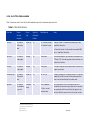
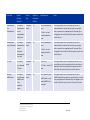
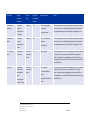
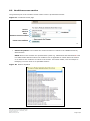
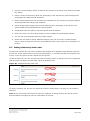
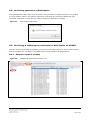
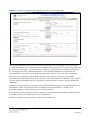
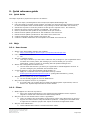
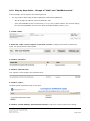
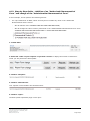
Table 1 shows the filter fields available and key facts about these fields.
4.2. Types of query building control
As will be seen, there are a number of different fields that can be set as filters. The type of presented
filter differs between fields, but is one of the following types:
4.2.1. Date controls
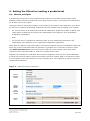
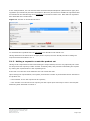
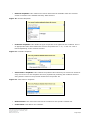
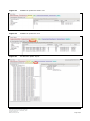
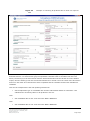
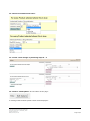
Calendar controls are used where appropriate; the control is accessed by clicking in the box when the
field is expanded.
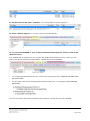
Figure 6:
Use of a calendar control
To select a date, click on the number in the calendar. To change the year, use the double arrows, and
to change the month use the single arrows. If a date is selected and appears in the box above the
calendar, then this may be cleared by clicking the "clear" button to the right of the expanded section.
4.2.2. Simple list
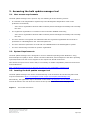
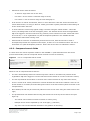
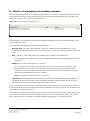
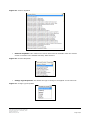
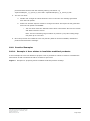
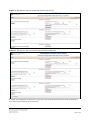
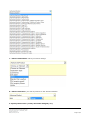
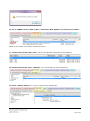
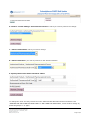
In cases where the values appear as simple lists of values in the EV system i.e. authorisation status,
then the available data is presented as a simple list;
Figure 7:
Use of a simple drop down filter control
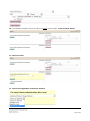
Notes for use of simple lists;
•
The list is automatically filtered to contain only those values in use within the products of the
logged-in user’s organisation HQ.
•
The list of presented values takes no account of the values selected in any other filter control.
•
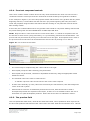
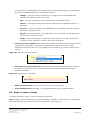
These lists can be refreshed using the button to the right of the control but by default contain all
values used in the products of the logged-in user (and all other users' belonging to the same HQ).
•
Selections in the list are cleared using the button to the right of the control.
eXtended EudraVigilance Medicinal
Product Dictionary (XEVMPD) Bulk
Update Manager
EMA/623491/2014
Page 10/59