1
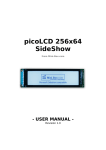
picoLCD 256X64 USB LCD User Manual by Mini-Box.com
CONTENT
1. Hardware installation.......................4
2. Windows Vista driver installation....6
3. Linux driver installation................10
3.1 Driver installation...............................................................................................10
3.2 Customizing your picoLCD display with plugins and widgets ........................12
3.3 Customizing your picoLCD display with external python scripts.....................13
3.4 Controlling the display with the keypad keys.................................................... 13
4. Appendixes....................................14
© 2012 Rev 1.2
2