1
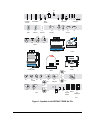
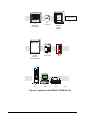
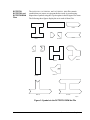
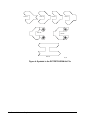
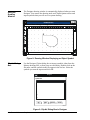
Introduction Theory of Operation Both the Metasys Operator Workstation (OWS) and the Fire OWS used with fire alarm control systems allow you to represent your entire facility in both textual and graphical formats. For example, a System summary displays an air handling unit as a textual list of objects. A system drawing displays the same system with graphical symbols representing the objects. The drawing changes colors to indicate when a change-of-state occurs. You can monitor the following FMS items in a graphical format: • Networks • Objects • Network Devices • CS Object Attributes • PC Groups • Fire Input and Output Devices • Systems Drawings you use to represent your facility are created using either Micrografx Designer 3.1, Designer 3.1 with OLE, or Micrografx DRAW 3.0. These are software drawing packages that allow you to create and/or modify graphical representations of items in your Facility Management System (FMS). While we offer some instruction on creating drawings, you should refer to your Micrografx Designer or Micrografx DRAW manuals for detailed instructions on using these packages. IMPORTANT: If you are currently using Designer 3.1 or Designer 3.1 with OLE, we recommend you continue to use your current package. However, if you are purchasing a drawing package, we recommend Micrografx DRAW, since DRAW and Designer share common libraries and file formats. Do not use Micrografx Designer 4.0. Feature Software—Graphics 3