1
Measurement Options
2-13
Relative
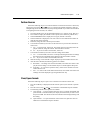
Rel subtracts a reference value from actual readings. When rel is enabled, the instrument uses
the present reading as a relative value. Subsequent readings will be the difference between the
actual input value and the rel value.
Actual Input – Reference = Displayed Reading
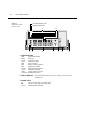
The rel (relative) operation is enabled by pressing the REL key (REL annunciator turns on).
Pressing REL a second time disables rel. You can also enter and enable a rel value from the
CONFIG-REL display.
A rel value can be established for each measurement function. The state and value of rel for
each measurement function are saved when changing functions. Once a rel value is established
for a measurement function, the value is the same for all ranges.
Configuring Rel
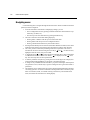
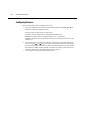
To check or change a rel value for a measurement function, perform the following steps:
1.
2.
3.
Select the desired measurement function.
Press the CONFIG key and then the REL key to display the present rel value.
Use the cursor keys (
and
) and the RANGE keys to change the rel value and press
ENTER. The instrument will return to the normal display state with rel enabled.