1
18
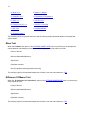
Depreciation allows you to use ASP to calculate depreciation schedules.
Interest Rates allows you to use ASP to make a number of interest rate calculations.
Linear Programming allows you to use ASP to solve linear programming problems.
Options Menu
The OPTIONS menu has three options:
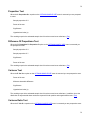
Change Number Of Digits In Output allows you to change the number of digits displayed in the
output.
Change Missing Value Code allows you to change the value that is treated as missing in ASP.
File Information allows you to open the file information window associated with the data matrix in
memory. This window allows you to record and view whatever information you wish to save with the
data matrix when it is saved in a file.
Help Menu
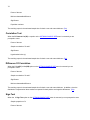
The HELP menu allows you to access the ASP help system. There are four options on this menu:
ASP Help allows you to access the ASP help file.
How To Use Help activates the Windows routine that explains how to use the Windows Help system.
Updating ASP opens a window that gives instructions on how you can obtain free updates of the ASP
program.
About ASP provides version and other information about the ASP program.
Executing An Option On A Menu Bar Menu
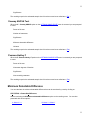
There are two methods you can use to execute an option on a menu bar menu:
Click on the name of the menu you want to access in the menu bar. This will cause the menu to open.
Click on the option that you want to execute in the open menu. This will execute the option.
Or
Press and release the Alt key to highlight the FILE menu name.
Use the right and left cursor keys to highlight the name of the menu you want to access.
Press the down cursor key to open the highlighted menu.
Use the up and down cursor keys to highlight the option you want to execute.
Press the Enter key to execute the option.