1
129
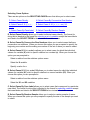
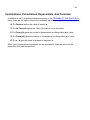
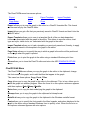
S. Scheffe Confidence Limits
B. Bonferroni Confidence Limits
W. Working-Hotelling Confidence Limits
If you have selected the Scheffe or Bonferroni interval, you are prompted to enter the
number of forecasts to be considered.
Next you are prompted to enter the degree of confidence for these limits.
You are then prompted to enter the values for the independent variables for which the
forecast is to be made.
The forecast is then generated and displayed. The output generated by this routine
depends on the kind of confidence limits you have chosen. (Neter et al)
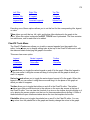
Single Period Confidence Limits
The F. Single Period Confidence Limits option on the FORECAST OPTIONS menu
generates a forecast of the dependent variable and its expected value.
It also generates the standard error of the forecast and its expected value, the t statistic for
the specified level of confidence, the standard errors times this t statistic, and the
confidence intervals for the forecast and its expected value. (Neter et al)
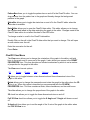
Scheffe Confidence Limits
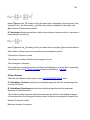
The S. Scheffe Confidence Limits option on the FORECAST OPTIONS menu generates
a forecast of the dependent variable and the Scheffe S statistic for the specified number of
forecasts and level of confidence.
It also generates the standard error of the forecast, the S statistic times this standard error,
and the confidence interval for the forecast. (Neter et al)
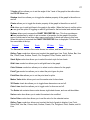
Bonferroni Confidence Limits
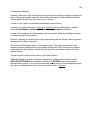
The B. Bonferroni Confidence Limits option on the FORECAST OPTIONS
menu generates confidence limits for a specific number of forecasts of the dependent
variable, the means of these forecasts, and their expected values.
It also generates the standard errors of the forecasts, their means, and expected values,
the Bonferroni B statistic for the specified number of forecasts and level of confidence, the
B statistic times the standard errors, and the confidence intervals for the forecasts, their
mean, and expected value. (Neter et al)