1
T FO RM er R unti m e De v elop e r M anu al
11.1
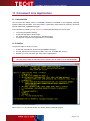
Introduction
11.2
Outline
11.3
Samples
11.3.1
For Microsoft Windows
11.3.2
For LINUX and UNIX
11.3.2.1
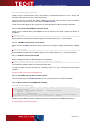
Generate all Templates as PDF
11.3.2.2
Generate Barcode-Labels (PDF-Output)
11.4
More Information
12
12.1
12.2
12.2.1
12.2.2
12.2.3
12.2.4
12.2.5
12.3
TFORMer Runtime with Microsoft Office
Introduction
Hints for different Office-Versions
Microsoft Word/Excel 2007
Microsoft Access 2007
Microsoft Word 2003 / Excel 2003
Microsoft Access 2003
Other Microsoft Office versions
More Information
24
24
24
24
24
24
25
25
25
13.1
13.1.1
13.1.2
13.1.3
13.2
TFORMer in Web Applications
TFORMer Runtime with Windows based Web-Applications
Client-side use of TFORMer Runtime
TFORMer Runtime on a Windows-based Web-Server
Web-Based Form Layouts
TFORMer Runtime on Linux/UNIX based Servers
26
26
26
26
26
26
13
14
22
22
23
23
23
23
23
23
FAQ
14.1
Linux/UNIX
14.1.1
TFORMer does not work
14.1.2
TFORMer Runtime does not prints text (32 bit TFORMer on 64-bit systems)
14.1.3
TFORMer Runtime does not prints Umlauts (e.g. ÄÖÜäöüß)
14.1.4
Fonts are looking strange / Errors in the generated layout
14.1.4.1
Installing True Type fonts
14.1.5
The Library libTFORMer5 cannot be found
14.1.6
TFORMer Include Files are not found
14.1.7
ZLib was not found on HP-UX
14.1.8
The EURO sign (€) does not work on AIX
14.1.9
Mono cannot find TFORMerNet assembly
15
15.1
15.2
15.3
15.4
Contact and Support Information
Free Support
How to unlock the Demo Version
Your Feedback is Welcome!
Company Contact Information
27
27
27
27
27
27
28
28
28
28
28
28
29
29
29
29
29
Appendix A : Passing Data to TFORMer Runtime
A.1
General
A.2
XML Files
A.2.1
Internal TFORMer XML-Format
A.2.2
Generic XML-Format
A.2.2.1
Variant 1
A.2.2.2
Variant 2
A.2.3
Microsoft® Access XML-Format
A.3
Text Files
A.3.1
File Format
A.3.1.1
Valid Column Separators
A.3.1.2
Valid Line Separators
A.3.1.3
Valid Text Qualifiers
A.4
Important Notes
A.4.1.1
Empty or Missing Data-Field values
A.4.1.2
Too much Data-Fields are given in an Import File
A.4.1.3
Escape Sequences like \n (newline) are used in the Data-Field values
30
30
30
30
31
31
32
32
33
33
33
33
33
34
34
34
34
Appendix B : Configuration file TFORMer.xml
B.1
General
B.2
Location of TFORMer.xml
B.3
Configuration File TFORMer.xml
35
35
35
35
Appendix C : Terms and Definitions
C.1
Form Layout
C.2
Stand-Alone Form
C.3
Repository
C.4
Project
C.5
Data-Field
C.6
Template
C.7
Data-Source
39
39
39
39
39
39
40
40
Page 3 of 41