1
PHOTOMOD 5.3
GeoMosaic
of Windows file system, as well as in the profile resources. Activate this profile when
the source images placing in the profile resources.
Supported file formats list of source images see in Section 2.3.
Description of resource system see in the PHOTOMOD system User Manual.
4. Start of work
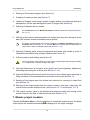
Do one of the following actions to start the program:
• Choose the Start › Programs to select the Geomosaic program.
• Double click the PHOTOMOD Geomosaic icon on the desktop.
• Choose the Geomosaic in PHOTOMOD System Monitor context menu in the Windows
system tray by clicking the
button.
• Start the PHOTOMOD system and choose the Rasters › GeoMosaic.3.
5. GUI elements
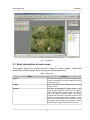
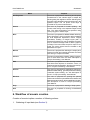
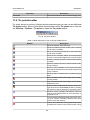
The GUI contains the following elements:
• The main menu, which contained the all program functionality;
• The main toolbar is used for quick main program functions access;
• The optional toolbars is used for quick miscellaneous program functions access;
• The 2D window, used for data displaying, contains the following elements:
○ The toolbar is used for the 2D window modes managing;
○ The work area is used for viewing and processing with loaded data of mosaic project;
○ The navigation bar is used for fast moving on the specified block images area of
mosaic project;
○ The Layer manager is used for managing of mosaic project layers;
○ The status bar is used for viewing current real (ground) and pixel marker coordinates
and brightness, contrast and gamma data adjustment in the work area.
3
If the PHOTOMOD system is installed on the workstation.
7