1
Using this handbook
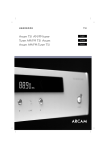
This handbook has been designed to give you all the
information you need to install, connect, set up and use the
Arcam A65, A75 and P75 amplifiers. The remote control
handset supplied with the equipment is also described.
It may be that your amplifier has been set up as part of your
system installation by a qualified Arcam dealer. In this case, you
may wish to skip the sections of this handbook dealing with
installation and setting up the unit. Use the Contents list on this
page to guide you to the relevant sections.
Models covered
This handbook covers two integrated amplifiers:
A65
A75
and one power amplifier:
P75
These amplifiers have many features in common.
Both the A65 and A75 have remote controlled input selection
and a motorised volume control which can be operated by the
CR-389 remote control handset supplied.
Safety
Safety guidelines are set out on the inside front cover of this
handbook.
Many of these items are common sense precautions, but for
your own safety, and to ensure that you do not damage the unit,
we strongly recommend that you read them.
Contents
Safety guidelines
Safety instructions
Safety compliance
2
2
2
Using this handbook
Models covered
Safety
3
3
3
Installation: A65 and A75
Positioning the unit
Connecting to loudspeakers
Connecting to a power supply
4
4
4
4
Connecting to other equipment
5
Using the amplifiers
Recording onto tape
Using a remote control
6
6
6
Using the remote control
CR-389 remote control
7
7
Installation: P75
Loudspeaker connection
Connecting to other equipment
Connecting to a power supply
8
8
8
8
Using the power amplifier
8
Bi-wiring and bi-amping loudspeakers
Before you start
Bi-wiring your loudspeakers
Bi-amping your system
9
9
9
9
Technical specifications
10
Guarantee
11
On-line registration
11
A65/A75/P75
3