1
2
change it
TECHNOLOGY REFERENCE
b) Check whether bulbs circuitry leak, loss or connect poorly
2. Led appears bleak
a) The Led maybe approach the service life, then change it, or the
optical components are unclean.
1.
Power supply: AC110-240V/50-60HZ
2.
Power consumption: 430W
3.
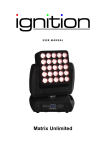
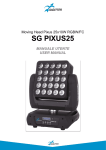
Led source: 25x10W Cree Quad LEDs, Each LED with individual
DMX Controls
b) Led have accumulation of dust, so the bulbs and other parts inside
the lamp should be cleaned and maintained in regular period.
3. Computer led work intermittently
4.
Beam angle: 8°
5.
Dimension: 39x39x48.5 cm
a) Check whether the fan process naturally and become dirty
b) Check inner temperature-response control plug is off
3
c) Check whether the circuitry is good
1.
2.
3.
4.
International universal control signal: DMX512
Infinite rotating Pan & Tilt
Faster speeds: 3 phase motor
DMX Channel: 119/23/19ch
5.
6.
7.
8.
Outstanding Beam effect,specific optic system
Pixel-mapping effect : individual control of each LED source in expanded
FULL COLOR mode (RGBW),offers the option to display numbers, letters,
graphic effects or images
DMX512, Sound, Auto, Master/Slave
Dimmer/Shutter
9.
RGBW color mixing
4. The computer led not controlled by controller during lighting
a) Check numeral starting address and the connection of
communication control circuit
b) The corresponding channel button of controller is open or not
c)
7
Check whether the fuse on power supply input jack is broken
CLEANING
To make sure the stable run of lamp, you should keep it clean. Command clean
machine and fan. To accurate the best state and effect, you should clean lens and
color filter timely, and do not use any soluble detergent when cleaning the color
filter avoiding the damage to lamp.
FUNCTIONS INTRODUCTION
10. Blue powerCon in
11. DMX Connectors: 3 pin XLR connector in and out
12. Colorful screen display menu function
10
3