1
11
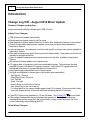
Infinity V95 August 2014 Update Notes
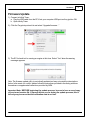
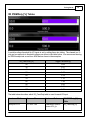
TPS Min Volts:
This should be set to the manufacturer specifications.
TPS Max Volts must be > TPS Min Volts.
User entries that do not meet this criteria are not allowed.
Min value = 0, Max value = 5
Fuel Pressure Max Volts:
This should be set to the manufacturer specifications.
TPS Max Volts must be > TPS Min Volts
User entries that do not meet this criteria are not allowed.
Min value = 0, Max value = 5
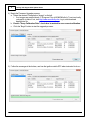
Follow ECU
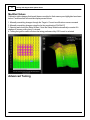
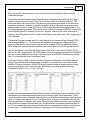
The follow ECU feature forces a small cell selection to "follow" the ECU as the table input data
changes. Using this feature combined with the hot key data manipulation options, allows the
tuner to quickly edit table data on the fly. The feature is available when connected to an ECU via
USB or when playing back logged data.
To turn on, with either a 1D/2DTable or 2D/3DGraph as the active control hit CTRL + F. When
activated, the follow will be set to all table type controls for the given item, and those controls will
have a "-- (Follow ECU)" in their title bar.
© 2015 AEM Performance Electronics