1
Chapter 6
Command line options
6.1
Running BioNumerics from the command line
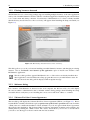
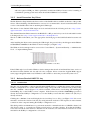
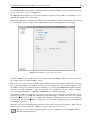
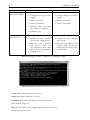
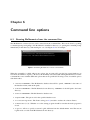
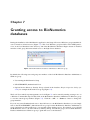
The BioNumerics software (bn.exe) can be started from the command line. This can be done by opening
a command prompt, navigating to the BioNumerics installation directory (or opening the command prompt
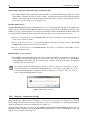
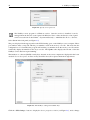
immediately in this directory) and entering bn.exe. See Figure 6.1 for an example.
Figure 6.1: Running BioNumerics from the command line.
When the executable is called without any options, the program will open the last-opened database (as
read from the Windows registry). However, the flexibility associated with running BioNumerics from the
command line comes with the additional options that can be specified. Following is a list of available options
with their values:
• -database=<DBNAME>: The BioNumerics database that will be opened, <DBNAME> is the name of
the database folder (without the path).
• -homedir=<HOMEDIR>: The BioNumerics home directory, <HOMEDIR> is the full path to the home
directory.
• -bnuser=<USERNAME>: The BioNumerics database user.
• -bnpwd=<PWD>: The password for the specified database user.
• -licensestring=<LIC>: The license string (see 4.3) needed to activate the software license.
• -runbnstart=(0|1): Whether or not the startup program should be ran after the main program is
closed.
• -logfile: Allows to specify a custom log file, different from the default BNLOG.TXT. The custom
log file needs to reside in the BioNumerics home directory.