1
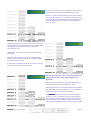
Shadow ID Numbers
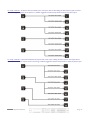
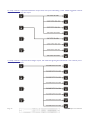
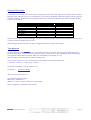
Shadow ID numbers allow extra units to share the same ID and follow the settings of the ‘main’ ID. This is useful for
larger systems (for example anything above a 4-way stereo system) where it is only necessary to set up one side of the
system, and allow the other unit to track it identically.
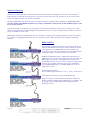
Using the shadow IDs in this way also reduces the apparent system complexity within AudioCore. This is due to the
fact that shadow ID’s NEVER send back any settings to AudioCore and because of this will NOT appear in the
list of connected units.
They can be thought of as listening to and acting upon all information addressed to them, but not replying. Up to 128
shadow units may be connected and assigned the same ID as the ‘main’ unit, but remember that the maximum total units
on any one RS485 network is 128.
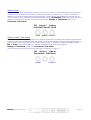
Shadow ID numbers are accessible when the unit’s interface is configured, and will appear after ID number 128, starting
from 1 again, but designated shadow IDs with an ‘s’ after the number – 1s. Any ID can have multiple corresponding
shadows.
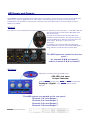
RS485 Interface
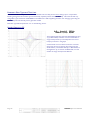
This interface is fitted as standard to all units and is accessed via
the 3-pin XLR sockets on the rear of the unit. Cables to connect
units together or to an RS232-485 converter will need to be
wired one-to-one. We recommend the use of standard shielded
microphone cables, or a balanced feed from a multicore.
RS485 is a fully balanced system, capable of sending data over
distances of up to one kilometre. Note, however, that this is the
total length of connection. The RS485 output of each unit is
purely hardwired from the input and so no electrical regeneration
of the signal is provided. What this means is that the distance
from the first RS485 output to the last RS485 input must not
exceed 1km in total.
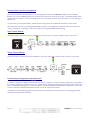
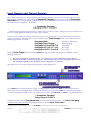
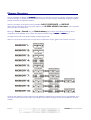
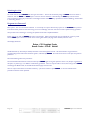
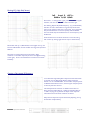
As this diagram illustrates –
The combined length of cables 01 + 02 + …NN < 1000 metres.
Note that this includes any units set up as shadow IDs.
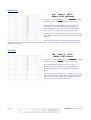
XTA has a range of tried and tested interfaces, all of which are
listed in the XTA Interface Guide, available from our website. We
can supply all the interfaces described in this guide directly –
please get in touch.
Page 28
4 Series Operator’s Manual