1
SH-12C_E.book
0 ページ
2011年5月9日 月曜日 午後2時24分
Introduction
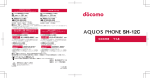
Thank you for purchasing “AQUOS PHONE
SH-12C”.
Make sure to read this manual before and
during use to ensure proper operation.
Using the FOMA terminal
SH-12C supports W-CDMA, GSM/GPRS and
Wireless LAN System.
Because the FOMA terminal relies on radio signals,
it cannot be used in places with no signal (such as
tunnels, underground or in buildings), in places with
a weak signal or outside the FOMA service area.
You may not use the FOMA terminal in the upper
floors of a building even with no obstructions in sight.
There may also be times when the signal is strong
and you are not moving but the call is interrupted.
Because the FOMA terminal uses electrical signals,
it is possible for a third party to listen in on a
conversation. However, since the W-CDMA and
GSM/GPRS systems automatically apply privacy to
every call, a third party that tries to listen in only
hears static.
The FOMA terminal converts conversations into a
digital signal and sends it to the other party over the
radio. If the signal cannot be reconverted properly by
such as moving to an area with a weak signal, the
voice may not be heard correctly.
Keep a separate memo and note information (e.g.
phonebook, calendar, notepad, voice memo,
answering memo) stored in the FOMA terminal.
DOCOMO shall not be liable for any loss of content
due to a failure, repair, upgrade or other handling of
the FOMA terminal.
As with PCs, some user-installed applications may
disrupt the stability of your FOMA terminal
performance or unexpectedly transmit information
via the Internet causing improper use of your
location information and personal information stored
in the FOMA terminal. Therefore, verify the supplier
and operating conditions of the applications to be
used before using them.
It is recommended to save the important data to the
microSD Card.
The FOMA terminal supports the FOMA Plus-Area
and the FOMA HIGH-SPEED area.
The explanations in this manual are based on the
case of using UIM.
Unlocking SIM card
The FOMA terminal can unlock the SIM card.
Unlock the SIM card to use non-DOCOMO SIM
cards.
SIM card can be unlocked at a docomo Shop.
Commission is incurred separately for unlocking SIM
card.
When using non-DOCOMO SIM card, some
services and functions are unavailable. DOCOMO
shall not be liable for guaranteeing operation of the
FOMA terminal.
For details on unlocking SIM card, refer to
DOCOMO website.
Download the latest information on this manual
from the DOCOMO website.
“User’s Manual (in PDF format)” Download
http://www.nttdocomo.co.jp/english/support/
trouble/manual/download/index.html
※ The URL and contents of this manual are
subject to change without prior notice.
SH-12C_E_01.fm
[0/22]
~~~~~ ~~~~~ ~~~~~ ~~~~ ~~~~~