1
4Ch Real time/Triplex/Mux
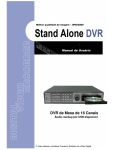
- Stand Alone DVR
Installation & Safeguards
INSTALLATION & SAFEGUARDS
All the safety and operating instructions should be read before the unit is operated.
Installation
1. To prevent electric shock or other hazards, do not expose units to rain, moisture or dust.
2. Place this unit in a well-ventilated place and do not place heat-generating objects on the unit.
3. This unit should not be located in an area where it is likely to be subjected to vibration.
Before You Start
1. Ensure the power switch is in the OFF position prior to starting.
2. Do not attempt to open or remove the covers. This may expose you to dangerous voltage or
other hazards.
3. Installation should be performed by a qualified service person only.
4. This unit should be operated only from the type of power source indicated on the manufacturer’
s
label and with the power supply included with the unit.
Notice
1. If you need to change the TIME/DATE always clear the HDD. If you don’
t follow this step first, it
may
cause non recording on the HDD or inhibit the use of menu settings . Even though it may appear
to be
recording, you may find you cannot search recorded data.
2. When it comes to HDD capacity, you can use large capacity HDDs.
3. The jumper setting for the CD-RW must be master.
4. When you set the record setup, you have to set the Record Configuration and also Schedule
Setup. This unit records as per the Record type & Schedule setup. The default setting value for
Schedule setup is Continuous mode.
1