1
Getting Started
Use Quick Setup Guide for installation instructions. Save both Quick Setup Guide and User Manual for future reference.
Using This Manual
The manual is divided into 4 main sections for easy use. These sections are:
• Introduction
• Using Your Security System
• Using Your Telephone System
• Supplemental Information
Throughout the manual the following icons will be used to bring attention to information you may find helpful.
Icon Key Codes Chart
i
Information
t
Tips
!
Alerts
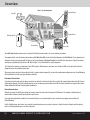
Security System
Until you have activated your service the InGrid Home Security platform will have limited functionality. You will be able to install the system and use the 2.4GHz
cordless phone features. See Phone System section below. No security functions will be active. Complete the installation, then activate system at
www.myingrid.com.
Central monitoring services will be available for subscribers of professional monitoring services once emergency information has been obtained and verified, and
the 7-day practice time has expired.
Phone System
Features and backup alarm communication related to your phone are only available for those subscribers that have the appropriate phone services from their
service provider of choice. Backup communication of alarms may not be available if broadband is down, or if your system phone service uses VoIP or digital voice.
Check with your phone or broadband service provider.
Minimum System Requirements
• Broadband service
• Broadband router with available Internet (Ethernet) port
• MAC or PC with access to Internet
• Phone service (If not available, phone operation and backup communication will be limited or nonexistent.)
[i]
G E T T I N G S TA R T E D
[www.InGridHome.com]