1
Table of Contents
Welcome to Filehand Search ................................................................... 1
Introducing Filehand Search .................................................................................... 2
Supported file types ................................................................................................. 3
Where to find information ........................................................................................ 4
Using Filehand Search ............................................................................. 5
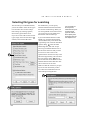
Selecting folders for searching ................................................................................. 6
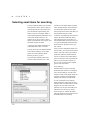
Selecting file types for searching ............................................................................. 7
Selecting email items for searching ......................................................................... 8
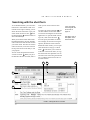
Searching with the short form .................................................................................. 9
Reviewing the search results .................................................................................. 10
Navigating text extracts ......................................................................................... 11
Viewing search results as icons, file names or details ........................................... 12
About indexing ....................................................................................................... 14
More short form techniques ................................................................................... 15
Searching with the advanced form ......................................................................... 16
Searching for file and email item types ................................................................. 17
Searching within email fields ................................................................................. 18
Searching file names .............................................................................................. 19
Using keyboard shortcuts ....................................................................................... 20
Using hotkeys ......................................................................................................... 21
Registering the program ......................................................................................... 22
Menus and configuration settings ......................................................... 25
Starting, exiting and printing .................................................................................
System tray icon and quick query form .................................................................
Selecting and copying text .....................................................................................
Selecting program options .....................................................................................
Using the indexing menu .......................................................................................
Accessing help and other information ...................................................................
26
27
28
29
33
35
Managing the indexer and folders ......................................................... 37
Deleting the index .................................................................................................. 38
Examining detailed index status ............................................................................ 39
Accessing external and network drives .................................................................. 40
Software License Agreement ................................................................. 41