1
All rights reserved. No parts of this document may be reproduced without written permission from the
FUPOL programme steering committee and/or cellent AG. This includes copying, printing, processing,
duplicating and all other forms of distributing this document on any media.
Company names, product name, trademarks and brand names used in this document might be protected
by law and belong to their respective owners.
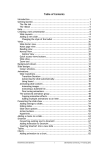
Contents
User Manual - Platform usage ................................................................................................................. 1
Introduction ............................................................................................................................................... 3
Accessing FUPOL .................................................................................................................................... 3
Signing In .............................................................................................................................................. 3
Viewing own profile ............................................................................................................................. 3
Signing Out ........................................................................................................................................... 3
Working with Campaigns ......................................................................................................................... 3
What is a campaign ? ............................................................................................................................ 3
Creating a Campaign............................................................................................................................. 4
Editing a Campaign............................................................................................................................... 6
Working with a campaign ..................................................................................................................... 7
................................................................................................................................................................ 21
Closing a campaign ............................................................................................................................. 21
Deleting a campaign ........................................................................................................................... 21
Working with Social Media .................................................................................................................... 22
Social Media Windows ....................................................................................................................... 22
Social Media Targets .......................................................................................................................... 27
Searching for social media data .......................................................................................................... 27
Viewing collected social media data ................................................................................................... 27
Searching inside collected social media data ...................................................................................... 28
Organizing social media data into categories...................................................................................... 29
Editing a social media window ........................................................................................................... 32
Deleting a social media window ......................................................................................................... 32