1
- Cetrel S.C.-
Table of contents
USER Manual ................................................................................................................................ 1
Table of contents ............................................................................................................................ 2
Contacts .......................................................................................................................................... 4
Introduction.................................................................................................................................... 5
Basic Functions of the SOFiE tool ......................................................................................................... 5
Installation ............................................................................................................................................... 6
Components ............................................................................................................................................. 7
Technical Requirements ......................................................................................................................... 8
Windows installation............................................................................................................................. 10
User manual ................................................................................................................................. 13
Starting SOFiE ...................................................................................................................................... 13
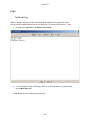
Login....................................................................................................................................................... 13
Main menu ............................................................................................................................................. 30
Emission ................................................................................................................................................. 33
Receive.................................................................................................................................................... 37
Decryption.............................................................................................................................................. 40
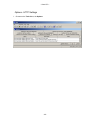
Options ................................................................................................................................................... 42
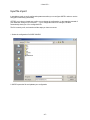
Input file import .................................................................................................................................... 47
Key renewal ........................................................................................................................................... 48
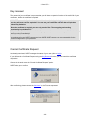
Cancel Certificate Request ................................................................................................................... 48
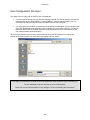
User Configuration File Input.............................................................................................................. 49
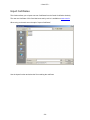
Import Certificates ................................................................................................................................ 50
Use the import function and select the file containing the certificate............................................... 50
FisEp....................................................................................................................................................... 51
TAF......................................................................................................................................................... 51
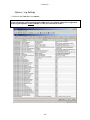
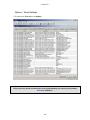
Logs......................................................................................................................................................... 52
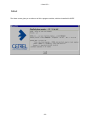
About ...................................................................................................................................................... 55
Batch mode................................................................................................................................... 56
Batch execution using the config file.................................................................................................... 56
Manual batch execution........................................................................................................................ 58
Tracking the batch processing using the return code ........................................................................ 59
Tracking the batch processing using the Audit Log........................................................................... 59
Useful information....................................................................................................................... 61
Packages ................................................................................................................................................. 62
-2-