1
Administrator PC Setup
>>Windows Peer-to-Peer Printing
Install Peer-To-Peer Print Driver
1. Insert Drivers and User’s Manual CD into the CD-ROM drive to initiate the autorun program. Once completed a menu screen will appear.
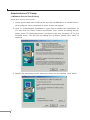
2. Click on “Administrator Installation” hyper link to initiate the installation. Or
you can click the “Start” button and choose “Run”. When the dialog box appears, enter “E:\Utility\Setup.exe” and press enter key (Suppose “E” is your
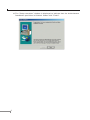
CD-ROM drive). You will see the dialog box as below. Please click “Next” to
continue.
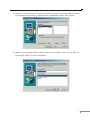
3. Specify the destination folder where the utility will be installed. Click “Next”.
2