1
dg_sataahciip_instruction_en.doc
2 Hardware setup
•
Copy BOOT.BIN and image.ub to SD card and insert to ZC706 board (SD Card is FAT32
format)
Figure 2 SD Card Image for SATA AHCI-IP Demo
•
•
Check board power is OFF
Set SW11[1:5] = “00110” to select configuration option = SD mode, as shown in Figure 3,
Figure 3 SW11 Configuration Option Setting
•
•
•
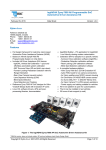
Connect AB09-FMCRAID board to FMC-HPC connector(J37)
Connect power to power connector on AB09-FMCARID board
Connect 2.5-inch SATA3 Device to CN0 on AB09-FMCRAID board
16-Jul-15
Page 2