1
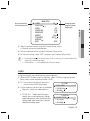
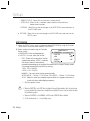
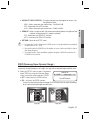
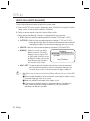
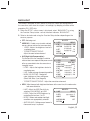
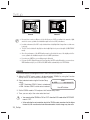
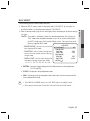
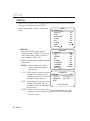
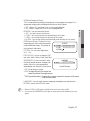
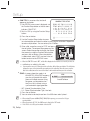
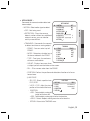
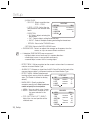
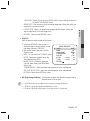
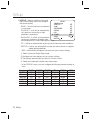
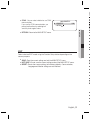
y AGC(AUTO GAIN CONTROL) : The higher the gain level, the brighter the screen - but the greater the noise. - HIGH : Allows automatic gain control from 5.3dB to 42dB. - OFF : Deactivates the AGC function. - LOW : Allows automatic gain control from 5.3dB to 32dB. y RETURN : Return to the SETUP menu. If you press the Function Setup switch in ‘AUTO’ mode, You can adjust brightness by adjusting the SENS-UP level. (x2 ~ x512) Note that the higher the SENS-UP level, the brighter the screen, but the more likely it is that an after-image will appear. It is normal for Noise, Spots and Whitish symptoms to appear in SENS-UP mode when the D-ZOOM level is increased. SSDR (Samsung Super Dynamic Range) : SSDR illuminates darker areas of an image while retaining the same light level for brighter areas to even out the overall brightness of images with high contrast between bright and dark areas. 1. When the SETUP menu screen is displayed, SSDR SETUP select SSDR by using the Function Setup IIIIIIIIIIIÂIIIIIIIIII 8 䯝 1. LEVEL switch so that the arrow indicates 'SSDR'. y OFF : Deactivates the SSDR function. Press SET to Return y ON : Activates the SSDR function. - Use the Function Setup button to change the SSDR level in the sub menu according to the contrast between bright and dark areas. SSDR ON SSDR OFF English_21 ● SETUP y SENS-UP : When it is night or dark, the camera automatically detects the light level and maintains a clear picture if this mode is activated. - OFF : Deactivates the SENS-UP function. - AUTO : Activates the SENS-UP function.