1
Getting Started 1 - 25
Configuring the Scanner
To configure the scanner for initial use:
1.
Scan the parameter bar codes in Chapter 3, User Preferences and Chapter 4, Symbologies to customize
scanner operation.
2.
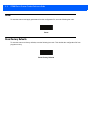
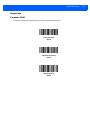
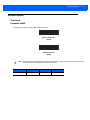
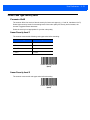
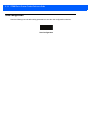
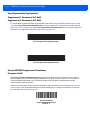
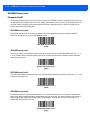
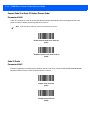
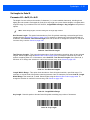
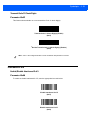
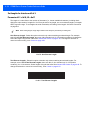
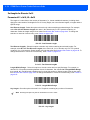
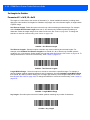
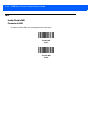
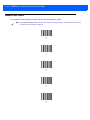
Scan the Save Configuration bar code on page 3-22 (also provided below).
NOTE
When scanning parameter bar codes, scan each bar code within two minutes of the previous one. The
scanner enters sleep mode after two minutes of inactivity, and any parameter bar codes scanned and not
saved are ignored.
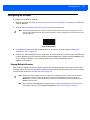
Save Configuration
3.
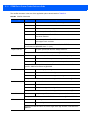
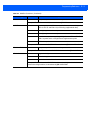
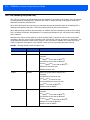
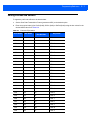
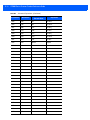
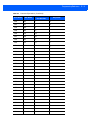
For additional customization, edit the Config.ini file on the scanner using the options in Editing the
Configuration File on page 1-26.
4.
CS3070 only: When deploying the new configuration to multiple scanners, to ensure unique CS3070 serial
numbers appear in the host’s discovery window, edit the Config.ini file to either remove the BTName entry
or set it to blank (“BTName=”) to ensure that each scanner uses the default BT name of
CS3070:<serial number>.
Staging Multiple Scanners
After creating a config.ini file for one “golden” scanner with all desired settings, create a copy of the file from
this scanner and copy it to other scanners via USB connection. Set the time and date on the “cloned” scanners
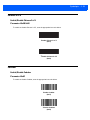
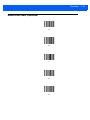
by scanning bar codes from Set Date and Time on page 3-5.
NOTE
CS3070 only: When deploying the new configuration to multiple scanners, to ensure unique CS3070
serial numbers appear in the host’s discovery window, edit the Config.ini file to either remove the
BTName entry or set it to blank (“BTName=”) to ensure that each scanner uses the default BT name of
CS3070:<serial number>.
NOTE
Before deploying the Config.ini file to multiple scanners, make the file read only to prevent users from
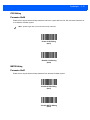
overwriting the file when scanning Save Configuration or Reset Factory Defaults on page 3-4.