1
LIGHTING
Stargate supports the complete X-10 protocol for power line carrier control of lights and appliances and other X-10 compatible
devices. It supports formats used by several manufacturers including X-10, Leviton, PCS, Smartlinc, RCS, etc. In order to
issue X-10 signals to the power line, Stargate's "PLI" port connects to a TW523 or PSC05 Two-Way Power Line Interface
module via a supplied 4-conductor modular telephone cable.
Preset Dim Level
A Preset Dim or Preset Level command is a single X-10 command that instructs a dimmer switch or module to go
to a specific level (rather than start from full brightness then issue a stream of continuous dim commands to reach the desired
level). This is a much more reliable method of dimming since it minimizes X-10 traffic on the powerline and does not rely
on an external processor to keep track of levels. There are two different formats used to accomplish Preset Level depending
on the manufacturer, standard and extended code.
STANDARD preset dim commands are used by PCS and Smartlinc and follow the standard X-10 format of address
data followed by function data (A-1 A-Preset Dim 97%). The protocol supports 32 different levels from 0% (off) to 100%
(full bright).
EXTENDED CODE preset dim commands are used by X-10 two-way lamp modules (LM-14A) and some Leviton
dimmer switches (6381, 6343) and combine the address data and function data into a single extended code command string
(A-1 Preset Dim 97%). The extended code protocol supports 64 different levels from 0% (off) to 100% (full bright) however
Stargate utilizes only 32 for consistency when using different types.
Since the two formats are completely different, it is necessary to identify the type of dimmer being used in the
DEFINE - X10 DEVICE database so Stargate knows which type of command to issue. For PCS and Smartlinc dimmers,
standard X-10 dimmer switches and lamp modules, select LAMP in the TYPE column. For X-10 LM-14A's and Leviton
dimmer switches, select LAMP EXCODE in the type column. Click APPLY to download the X-10 database data to Stargate.
Lutron Support
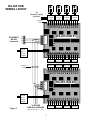
Stargate also has built-in support for Lutron HomeWorks lighting systems via ASCII commands through an RS-232 port.
Once the Lutron HomeWorks system has been set up and configured, the HomeWorks controller com port can be connected
to one of Stargate's com ports (port 2 or port 3) via a serial data cable. Stargate can then be programmed to issue ASCII
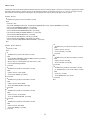
commands to the HomeWorks system to trigger (simulate) any HomeWorks button (1-17) on any keypad (1-16) on any panel
(1-8). Stargate can also be programmed to respond to Lutron button presses by adding events based on ASCII input strings
received from the Lutron controller.
To issue a Lutron command, select ASCII OUT as a Then Action of an event then click LUTRON. Select the desired Lutron
panel, keypad and button then click OK. Once downloaded, this event will output the appropriate ASCII string to the
HomeWorks controller to trigger the programmed Lutron action for that button.
2