1
I) Quick Start
Turning the Camera On
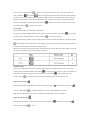
Press and hold the On/Off Button for 2 seconds (two beeping sounds). The LCD screen will show the remaining
time.
Taking Video Footage
1. Aim at what you want to record.
2. Press and hold the 'Movie shutter button' for 2 seconds to start recording (one beeping sound). The time elapsed
will be shown on the LCD screen.
3. Press and hold the 'Movie shutter button' again for 2 seconds to stop recording (two beeping sounds). The length
of the video footage will show on the LCD screen for 2 seconds, after which the remaining time will be shown (the
remaining time is an estimate only).
II) Camera Precautions
Notice the following guidelines when using your camera
• The CAM is shock resistant, not shock proof.
• For your safety, do not press the buttons on the camera during sports activities.
• Do not place the camera in areas prone to dust or damp for extended periods of time. This may cause a fire or an
electrical shock.
• Do not leave the camera in places exposed to extremely high temperatures, such as under direct sunlight, for
extended periods of time. This may affect the camera housing and internal components.
• Clean the lens with a soft cloth to remove fingerprints or dust.
• We recommend using Alkaline batteries in temperatures between 32°F to 104°F (0°C to 40°C).
• The working temperature range of a normal Alkaline AA battery is 32°F to 104°F (0°C to 40°C). Above or below
this temperature may cause the batteries to malfunction, therefore for use in low temperature, we recommend
changing to Lithium batteries.
• Turn the camera off before removing the batteries or memory card. The card and the data may be damaged if the
memory card is inserted or removed while the camera is still on.
• Remove the batteries and memory card before storing the camera for long periods of time. Keep it in a
well-ventilated place to prevent mould.
• Under the following circumstances, have the camera repaired by qualified personnel:
a) The plug is damaged or worn.
b) The device has been dropped and/or the housing has been damaged.
c) Liquid has entered the camera.
Notes on copyright: Users are asked to note that the transfer of memory containing photos or data protected under
copyright laws is only permissible within the restrictions imposed. Users assume all responsibility in the event that
copyrights are violated by the use of this camera.
Waterproof Feature
The CAM camera is waterproof up to 3m (10ft). We will not assume any responsibility for camera malfunction
caused by liquid entering the camera as a result of misuse by the user.
Precaution:
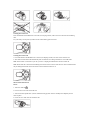
Follow the steps below to keep the camera waterproof.
Step 1: Apply silicon grease (included).