1
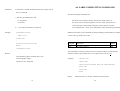
A3. INTERACTION COMMANDS
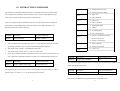
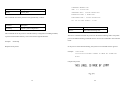
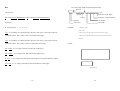
Byte 1
Y - firmware parser is busy.
N - firmware parser is idling.
The interaction commands demand the printer’s immediate interaction. But the printer
only communicates a detailed status to the host via the printer’s serial (RS232C) port,
Byte 2
Y - paper out.
N - paper installed.
since only serial port supports bi-direction communication.
Byte 3
Y - ribbon out.
N - ribbon installed.
Upon receiving this kind of command, the printer will either perform the command or
send back the corresponding data to the host so that the user and programmer can
Byte 4
Y - printing batch file.
N - others.
determine what to do with the next step.
Byte 5
Y - at printing state.
N - not at printing state.
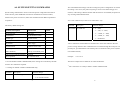
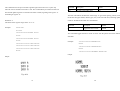
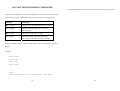
Command
Description
Response from printer
<SOH>#
Resets the Printer
<XOFF> <XON> T
Byte 6
Y - printer is paused and waiting
for the second press.
N - printer is not paused.
1.
This command resets the printer like “power on” step. Resetting the Printer returns
Byte 7
N – label is not present.
all settings to default value, except the downloaded graphics and fonts.
2.
The printer sends <XOFF>, suspending the data input.
3.
The printer sends <XON> and ‘T’, ready to resume work.
4.
Since this command will delay communication for one second, if not necessary, the
user is advised to send other alternative system level command instead of this one.
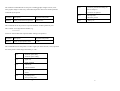
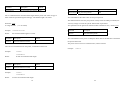
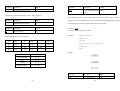
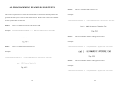
Command
Description
Response from printer
<SOH>A
Sends a readable status string
XXXXXXXX<CR>
This command drives the printer to retrieve an 8-byte data string followed by a <CR> to
the host. Each ’X’ will be ‘Y’ or ‘N’ reporting the printer status.
Y - label is present.
Byte 8
N – always ‘N’.
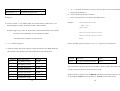
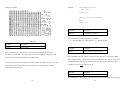
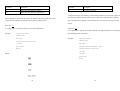
Command
Description
Response from printer
<SOH>B
Toggles pause condition
None
This command toggles the pause state on or off. Byte 6 generated from <SOH>A will
reflect the change of the status.
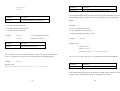
Command
Description
Response from printer
<SOH>D
Disables the interaction command. None
Interaction commands will be ignored after this command is sent.
3
4