1
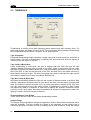
DLREADER PARAMETERS
2.1.1
2
Aspect Ratio Independence
Aspect ratio independence means that objects can be taught at one size and height/width
ratio and be read at a different size and/or height/width ratio. Internally, the software limits
the amount of change to ±400%. As a practical matter, it should be kept to about ±50%. Not
only does this provide greater flexibility when training, but also in many applications the size
of the text or objects can vary due to a variety of process causes.
While this feature is beneficial in many applications, there are fonts or characters that can
pose special problems when viewed in the light of aspect ratio independence. For example,
what is the difference between a square period and a straight line ‘l’? What is the difference
between the letter ‘O’ and number zero ‘0’ in an aspect ratio independent manner? The
answer to both questions is that there is no difference.
2.1.2
Character Size and Character Spacing
The ideal range in height is from 25 pixels to 40 pixels. Smaller characters require more
training due to the limited amount of data. This causes small object changes to have a large
impact on the stored data, thus making them harder to interpret. Characters taller than 40
pixels do not add any additional data that would be beneficial in matching objects. Larger
objects also have the side effect of being slower to read due only to their size.
As long as characters are at least one (1) pixel apart in the horizontal direction, spacing is
generally not a factor. Only if the spacing is quite large does it start to impact the
performance. Remember, the DLReader must check every pixel after the last object in order
to find the next object. The larger the spacing and/or the taller the ROI, the greater the
number of pixels to be checked. The greater the number of pixels to be checked, the more
time that is required to process.
Character size, font list length, character spacing, and number of objects all contribute to the
total processing time. Proper training is a key component in ensuring the minimum number of
trained characters in the list.
2.1.3
Character Scoring
When any object is read, a “score” is calculated based upon how well that object conforms to
the object it was matched against. A perfect score, and therefore a perfect match, is 1000.
The minimum score can be less than zero in some circumstances. An object’s score is listed
on the Reader tab page.
Typical values range between 500 and 1000. For OCR purposes, the score is not generally
used.
For setup purposes, the score is used to give the user an indication of how the DLReader is
comparing the sample image to the trained font.
21