1
CellMeter-8
ep-plane.com
8. Configuration Mode
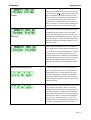
When the battery is connected to the CellMeter-8 while the button is held down. On the release of the
button the CellMeter-8 stats Configuration mode. (setting modification mode). You can by clicking the button scroll through the individual settings and to verify each setting in order. When the setting that you wish
to change is indicated on the display press and hold the button to activate the [ ] (cursors brackets)
around the value that will be changed. Press the button to advance the [ ] value by a +’ve increment of 1.
Hold down the button again and the options page will be displayed. The value can be changed by increments of -1 values, a factory default option is available and an OK option to enter your selected option.
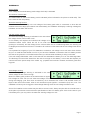
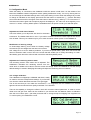
Adjustment of hold time of button
This menu allows you to adjust the click time for the button
to advance. The default hold time is 1sec. If you wish to make the click time 0.5sec input for the ThrustCalc is faster. This may be a better way for you to enter numerical values quicker in the CellMeter-8.
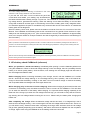
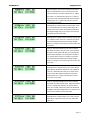
Modification of warning voltage
An Overvoltage warning occurs when the battery voltage
exceeds the pre set voltage level set here in this screen.
Cell voltage such as a LiPo balance problems, if you have a special battery pack which has a limit that
does not exceed 4.300V is used. This is the screen that will enable you to modify this setting. In a standard battery pack where the cells use with 4.240V the standard (default) value.
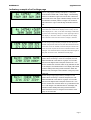
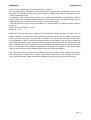
Adjustment of remaining amount meter
The remaining amount value meter can be adjusted. The
CellMeter-8 calculates the remaining amount from the
value which is added to this value to and the actual cell voltage. When the CellMeter-8 is at the factory
default setting it is 0.000V. Modifying this setting will adjust the remaining amount indication.
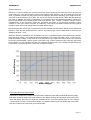
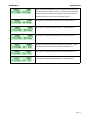
Cell voltage calibration
The CellMeter-8 is shipped pre calibrated and there is really
no need for the user to adjust these settings. If you find that
over time the values deteriorate and the errors get bigger.
This is the area that you can make the corrections in. It is suggested that the CellMeter-8 is checked
against a known test device like a quality multimeter / DC voltmeter.
There is the capability to change the offset in each AD converter channel parameter, in order to correct
offset error and gain error these can be modified. If you feel that the Cell Meter-8 needs re calibration
then this can be done upto 1 year after purchase with no charge accept for shipping from ep-plane.com
To confirm pricing for recalibration e-mail.
Page 18