1
Table of Contents
1 About Verifit..........................................................................................................................................................................6
New in this software release................................................................................................................................................6
Product description...............................................................................................................................................................6
Associated items and supplies..............................................................................................................................................7
SAFETY WARNINGS and NOTICES................................................................................................................................7
Environmental safety............................................................................................................................................................8
Declaration of Electromagnetic Compatibility (EMC).......................................................................................................8
Warranty, Trademarks, Acknowledgments.........................................................................................................................9
EC Declaration of Conformity...........................................................................................................................................11
Electronic User’s Guide.....................................................................................................................................................12
How to Avoid Undesirable Side Effects............................................................................................................................12
2 Getting Started.....................................................................................................................................................................14
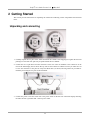
Unpacking and connecting.................................................................................................................................................14
Microphone connection......................................................................................................................................................15
General care instructions....................................................................................................................................................16
Microphone care.................................................................................................................................................................16
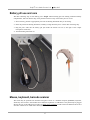
Battery pill use and care.....................................................................................................................................................17
Mouse, keyboard, barcode scanner....................................................................................................................................17
Monitor headphones...........................................................................................................................................................18
External peripherals............................................................................................................................................................18
3 General Operation................................................................................................................................................................20
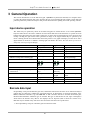
Input device operation........................................................................................................................................................20
Barcode data input..............................................................................................................................................................20
Keypad keys........................................................................................................................................................................21
Menus, lists and buttons.....................................................................................................................................................22
Screen messages and Help.................................................................................................................................................22
Software updating...............................................................................................................................................................23
4 General Setup.......................................................................................................................................................................24
Date and time setup............................................................................................................................................................24
Display settings...................................................................................................................................................................24
Saving test setup.................................................................................................................................................................24
5 Networking...........................................................................................................................................................................26
Networking requirements...................................................................................................................................................26
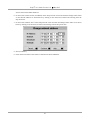
Networking setup................................................................................................................................................................26
NOAH Service Port............................................................................................................................................................27
Changing the NOAH service port......................................................................................................................................27
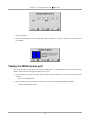
Testing the NOAH service port..........................................................................................................................................28
6 Single computer connection................................................................................................................................................29
Automatic connection (recommended)..............................................................................................................................29
Static connection................................................................................................................................................................29
7 Printing and Storing Results................................................................................................................................................31
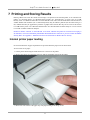
Internal printer paper loading.............................................................................................................................................31
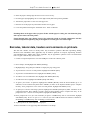
Barcodes, tabular data, headers and comments on printouts............................................................................................32
Local printer setup..............................................................................................................................................................33
Printing to USB memory....................................................................................................................................................33
Network printer setup.........................................................................................................................................................34
Printing to a network file....................................................................................................................................................34
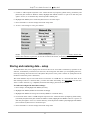
Storing and restoring data – setup......................................................................................................................................35
Storing and restoring data..................................................................................................................................................36
Data storage using NOAH..................................................................................................................................................37
8 Test Box Measures - Setup..................................................................................................................................................38
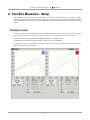
Test box screen...................................................................................................................................................................38
Format.................................................................................................................................................................................39
Scale....................................................................................................................................................................................39
Hide or Show test box curves.............................................................................................................................................39
1996 or 2003 ANSI standard..............................................................................................................................................39