1
Page: 25
User Manual
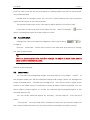
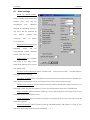
Auto lock zoom in: when checked the “zoom in” tool will stay selected until another
tool is selected.
Auto lock tools: when checked (frame editor) tools stay selected until you select a
different one. (Shift will force “one shot mode”.)
Use Winamp: uses Winamp (if installed) instead of Windows Mediaplayer for music
playback.
Visualize music: use winamp plug-ins to display the waveform of the song. (See
troubleshooting for problems with newer Winamp versions.)
Default framelist format: use this format if not otherwise specified.
Redraw delay: on older PCs redrawing the timeline when scrolling may occur too
soon, so that scrolling is interrupted. Increase this value if you have this problem.
Invert blanking: well guess.
Analog blanking: if your laser supports analog blanking, fading will be output to the
blanking port.
Map intensity: colors will be translated into different shades of intensity on the
blanking port.
9
9.1
Hardware support
Drivers
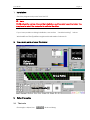
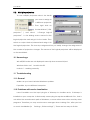
You must select the output device
“USB-Box”
from
“Settings/Output
output to laser.
Output
device
settings”
in
before