1
Contents
Chapter 1 Getting Started .............................................................................................................................. 1
1.1
Important Safeguards...................................................................................................................................... 1
1.2
Regulatory Notice ............................................................................................................................................ 2
Legal Information ....................................................................................................................................................................................... 2
Safety Instructions ..................................................................................................................................................................................... 2
Regulatory Notices Federal Communications Commission (FCC) .................................................................................................... 2
1.3
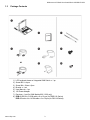
Package Contents ............................................................................................................................................ 3
1.4
Before Installation ........................................................................................................................................... 4
1.5
Unpacking ......................................................................................................................................................... 4
1.6
Optional Accessories ...................................................................................................................................... 5
1.7
LCD Rackmount Structure Diagram .............................................................................................................. 6
1.8
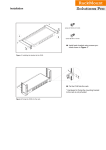
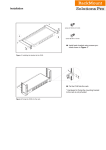
Installation ........................................................................................................................................................ 7
1.9
Installation (continued) ................................................................................................................................... 8
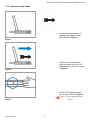
1.10
How to use the slides ...................................................................................................................................... 9
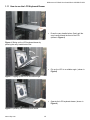
1.11
How to use the LCD Keyboard Drawer ........................................................................................................10
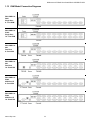
1.12
KVM Model Connection Diagrams ................................................................................................................11
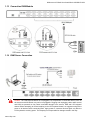
1.13
Connection KVM Module ...............................................................................................................................12
1.14
KVM Server Connection .................................................................................................................................12
1.15
Receiver for (KVM model: 802 / 1602 only) ..................................................................................................13
1.16
Receiver Connection ......................................................................................................................................13
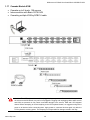
1.17
Cascade Module KVM ....................................................................................................................................14
Chapter 2 Operation ..................................................................................................................................... 15
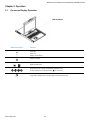
2.1
On-screen Display Operation ........................................................................................................................15
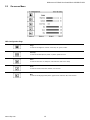
2.2
On-screen Menu ..............................................................................................................................................16
Chapter 3 LCD Specifications ..................................................................................................................... 17
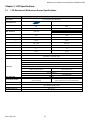
3.1
LCD Rackmount Widescreen Series Specifications ..................................................................................17
3.2
Keyboard & Mouse .........................................................................................................................................18
For RW119 series .................................................................................................................................................................................... 18
3.2
Keyboard & Mouse (Continued) ....................................................................................................................19
For RWS119 series ................................................................................................................................................................................. 19
3.3
How to use “NS” keyboard ............................................................................................................................20
Chapter 4 KVM Specifications .................................................................................................................... 21
4.1
Basic USB DB-15 KVM ...................................................................................................................................21
www.raloy.com